ERP
Control payables, receivables, cash flow, and company records in one financial workflow.
For finance, accounting, purchasing & management
Explore the solution ↗SYMPHONY PLANTATION ERP PRODUCTS
The right application for each role. Connect field recording, management oversight, and company administration in one ecosystem.
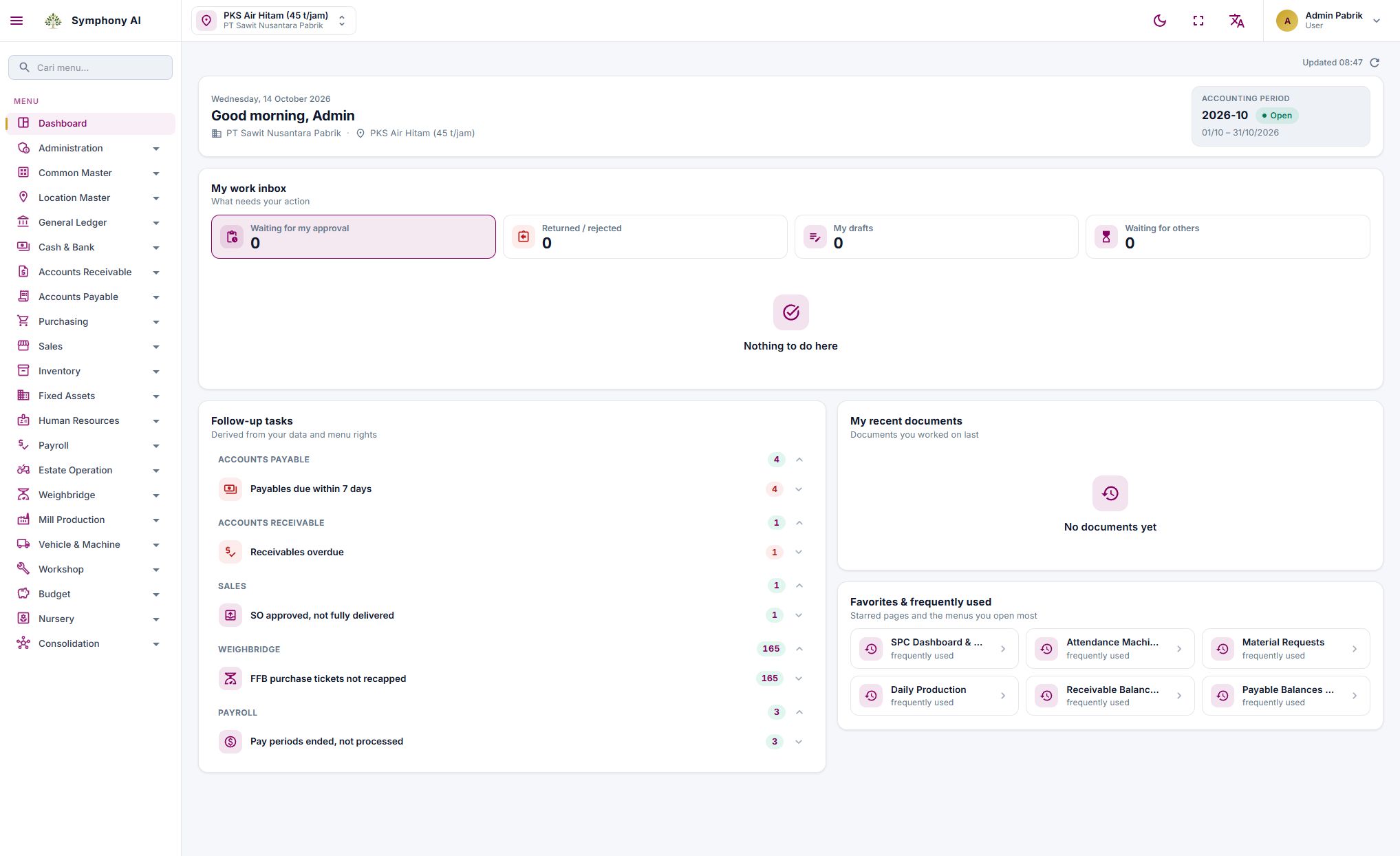
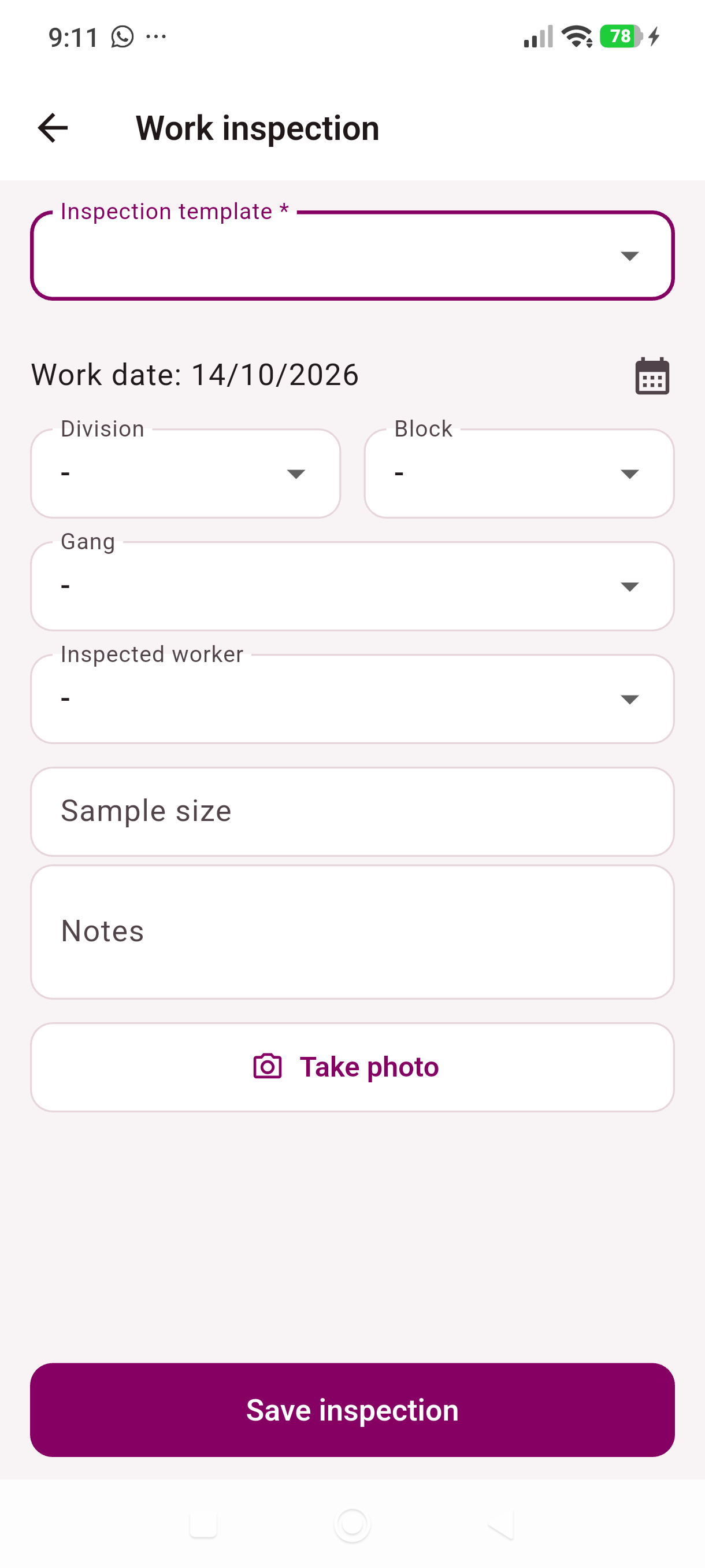
Actual Symphony AI screens.
Web dashboard & Mobile application.
ONE ECOSYSTEM. SIX CONNECTED SOLUTIONS.
Six connected solution groups supporting plantation company processes.
Control payables, receivables, cash flow, and company records in one financial workflow.
For finance, accounting, purchasing & management
Explore the solution ↗Connect work planning, field execution, harvest output, and plantation work quality.
For estate managers, assistants, supervisors & clerks
Explore the solution ↗Trace FFB intake, processing, product quality, and mill costs.
For mill managers, operators, laboratory & weighbridge teams
Explore the solution ↗Connect employee records, attendance, and work results with payroll processing.
For HR, payroll, administration & management
Explore the solution ↗Place plantation activities and conditions on the map to identify field priorities.
For management, assistants, survey teams & field supervisors
Explore the solution ↗Two applications for two needs: field recording and management oversight.
For field teams, executives, managers & approvers
Explore the solution ↗01 / ERP
Control payables, receivables, cash flow, and company records in one financial workflow.
FOR FINANCE, ACCOUNTING, PURCHASING & MANAGEMENT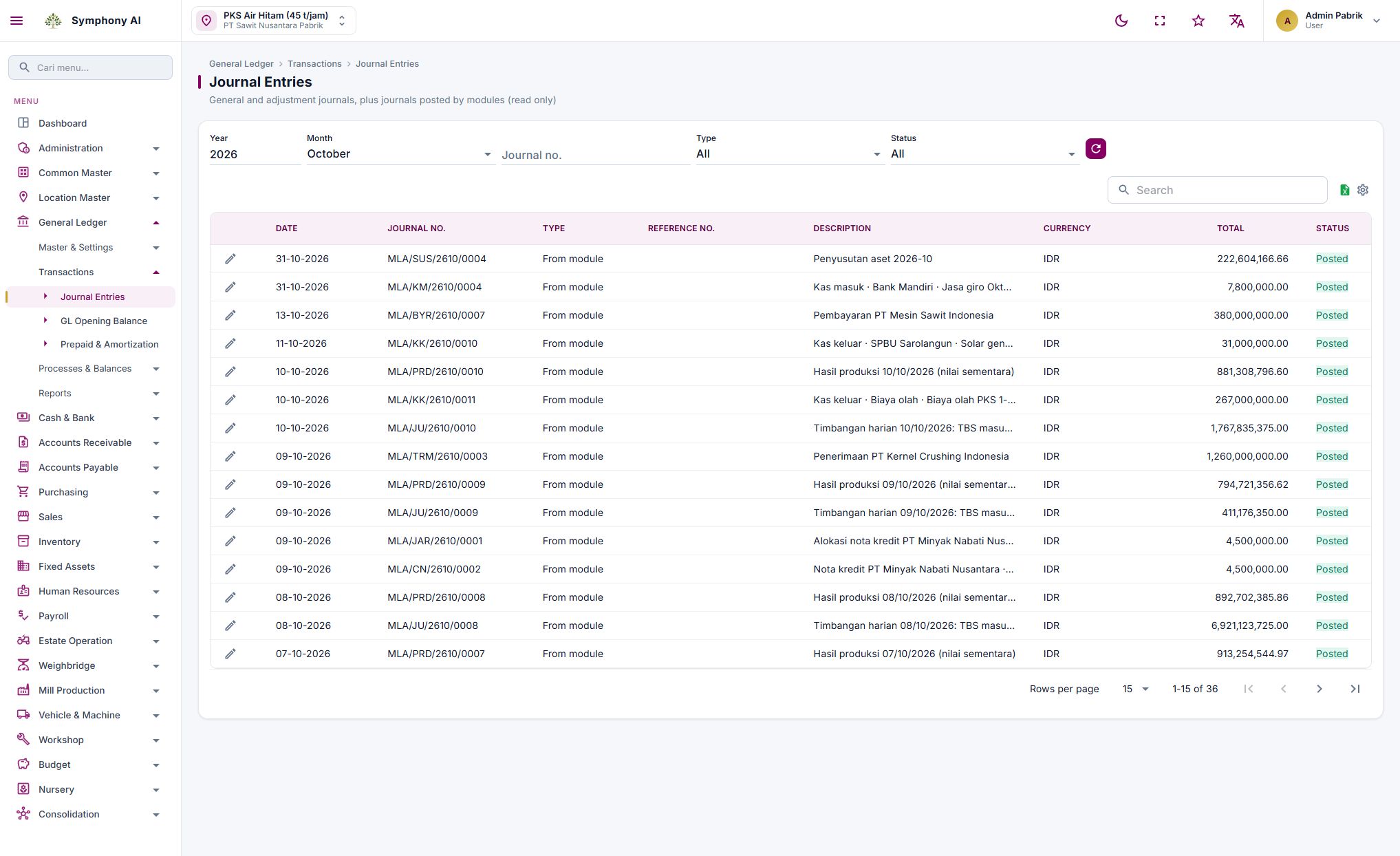
Screens captured from the Symphony AI web application.
Open the local web application ↗02 / PLANTATION MANAGEMENT
Connect work planning, field execution, harvest output, and plantation work quality.
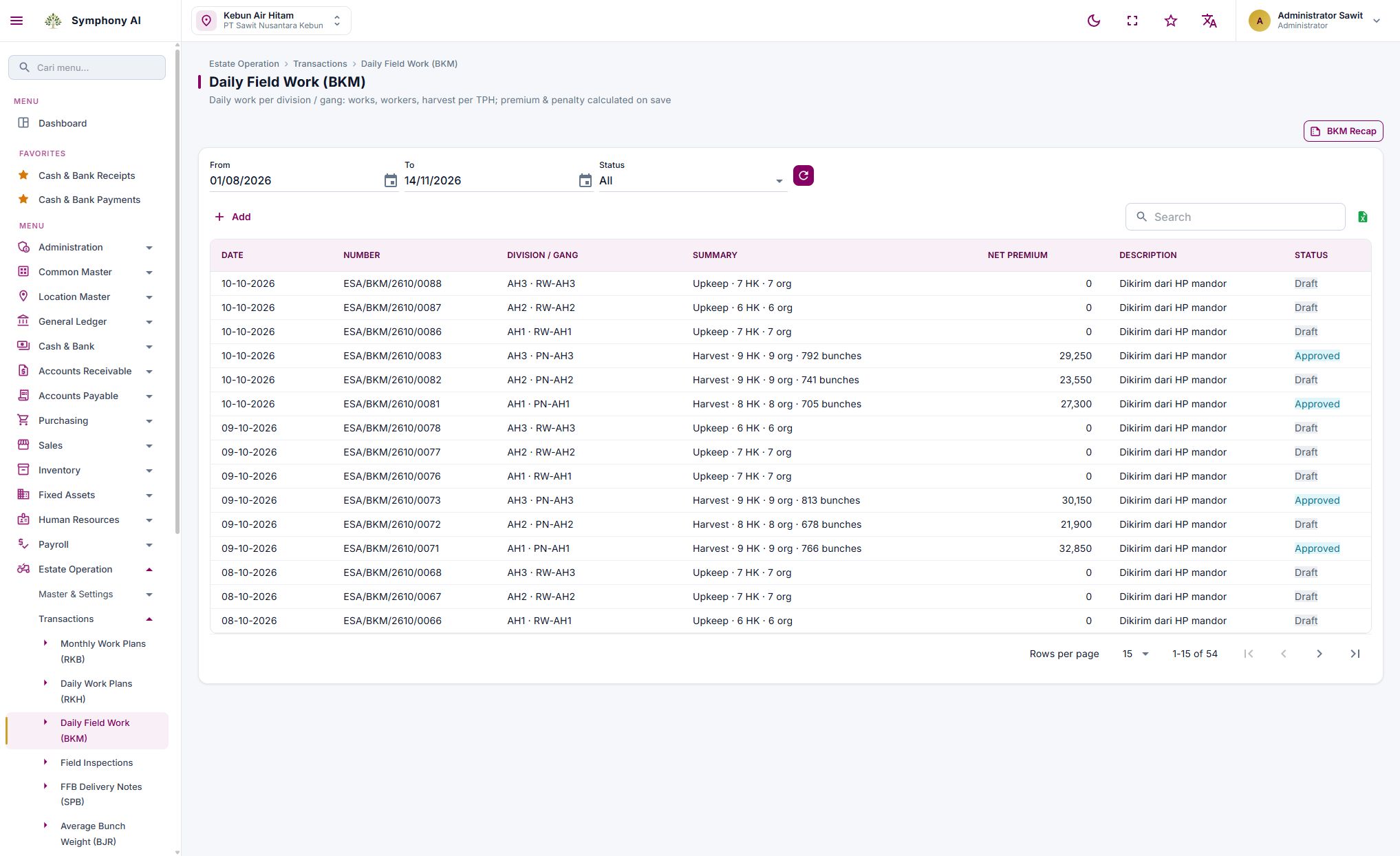
For estate managers, assistants, supervisors & clerksMonthly and daily plans are linked to BKM actuals.
Record workers, harvest output by collection point, grading, and materials used.
Harvest forecasts, average bunch weight, stand censuses, and pest monitoring.
Work contracts, progress, inspections, harvest incentives, and quality penalties.
03 / MILL MANAGEMENT
Trace FFB intake, processing, product quality, and mill costs.
For mill managers, operators, laboratory & weighbridge teamsWeighbridge tickets, grading, deductions, and links to plantation SPBs.
Daily production, tank sounding, and CPO and kernel stock.
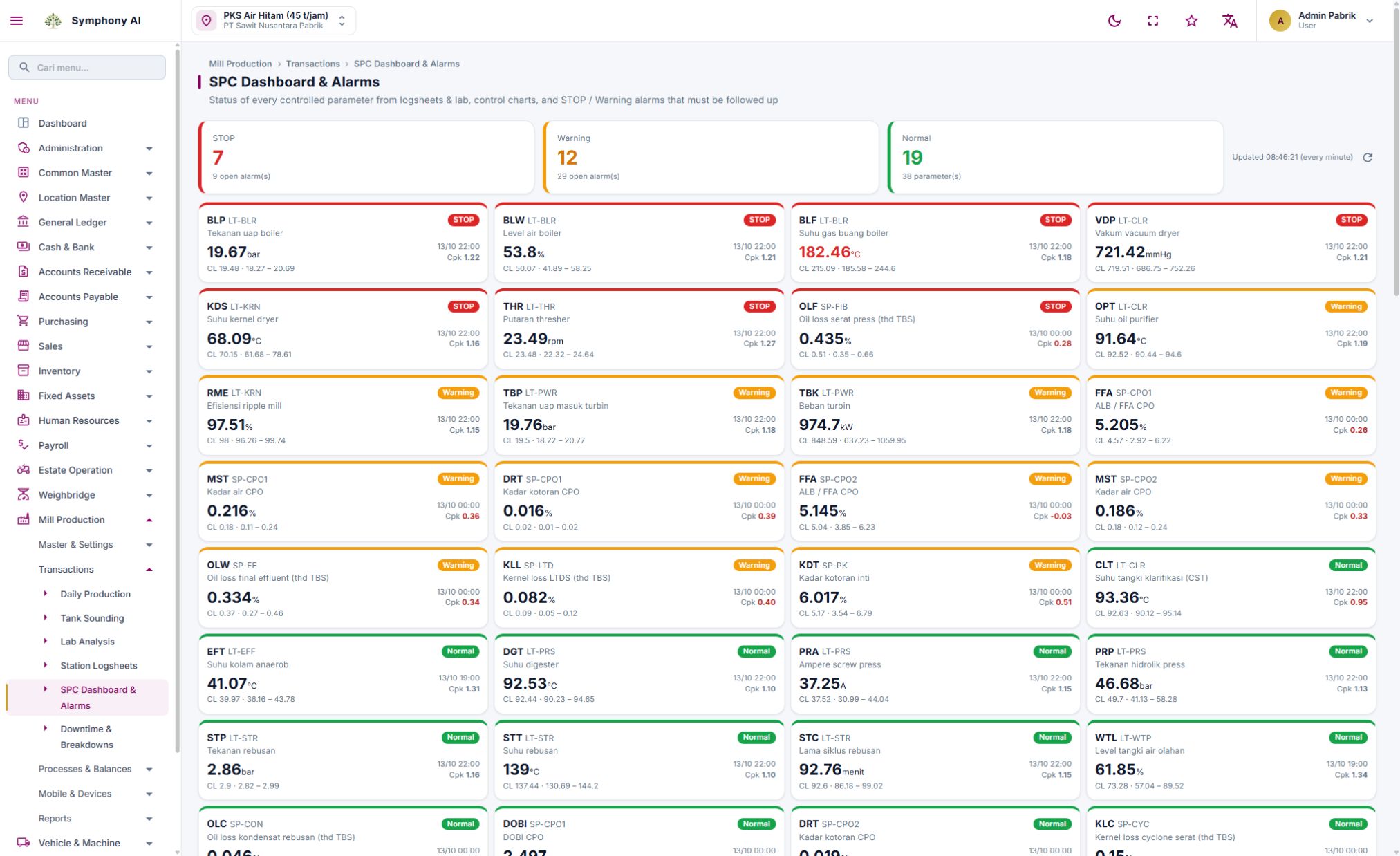
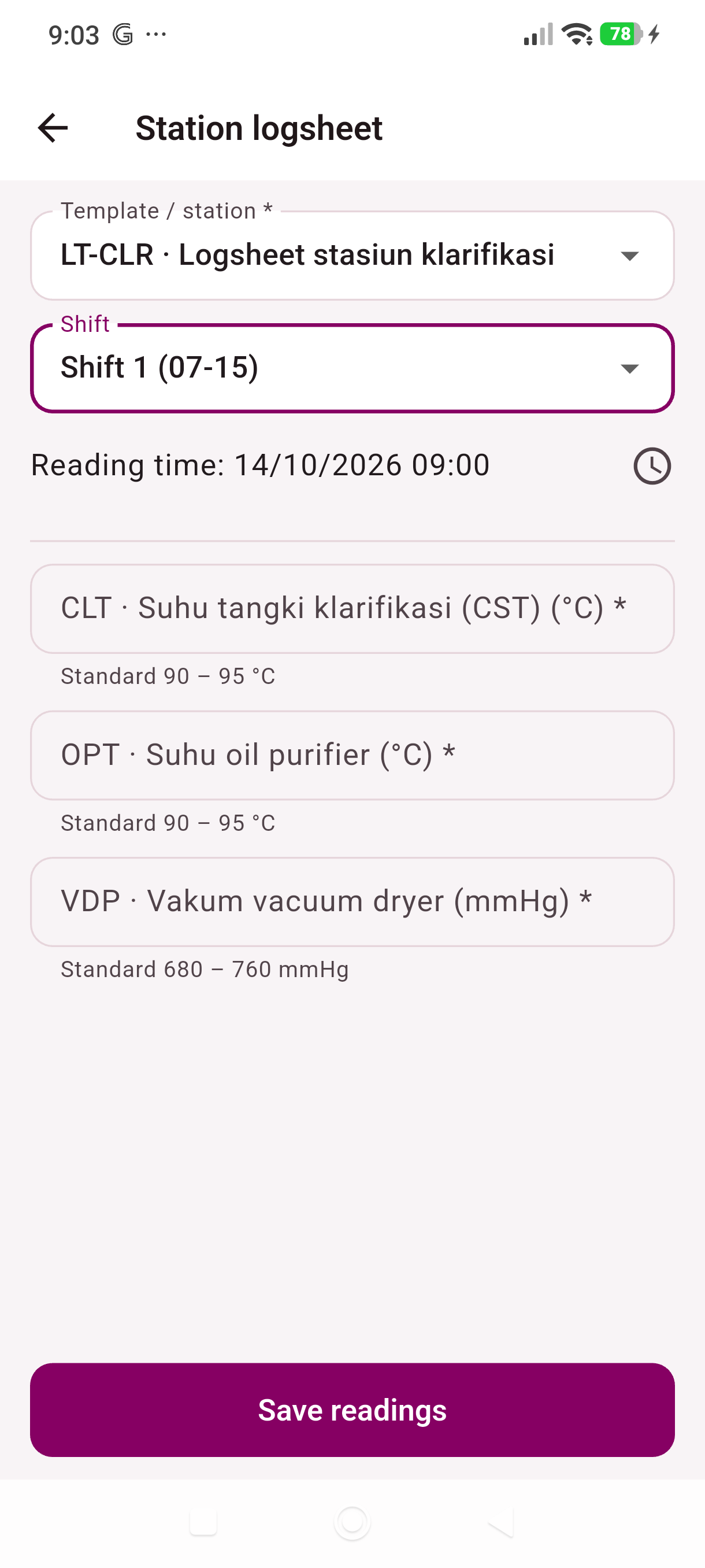
Station records, lab analysis, quality monitoring, and SPC.
Month-end mill costing with shared-cost allocation.
Record station parameters in Mobile and monitor process status on the web dashboard.
Weighing continues offlineReadings, photos, and tickets are stored locally. Tickets are sent to ERP when connectivity returns. Supports inbound and outbound weighing, grading, and ticket printing.
SCADA integration (optional)Connect mill process data with Symphony according to your needs and SCADA system.
Discuss Mill Management requirements ↗04 / HR & PAYROLL
Connect employee records, attendance, and work results with payroll processing.
For HR, payroll, administration & managementManage employee records, leave, rosters, and overtime.
Attendance from time clocks and field applications forms the basis for processing.
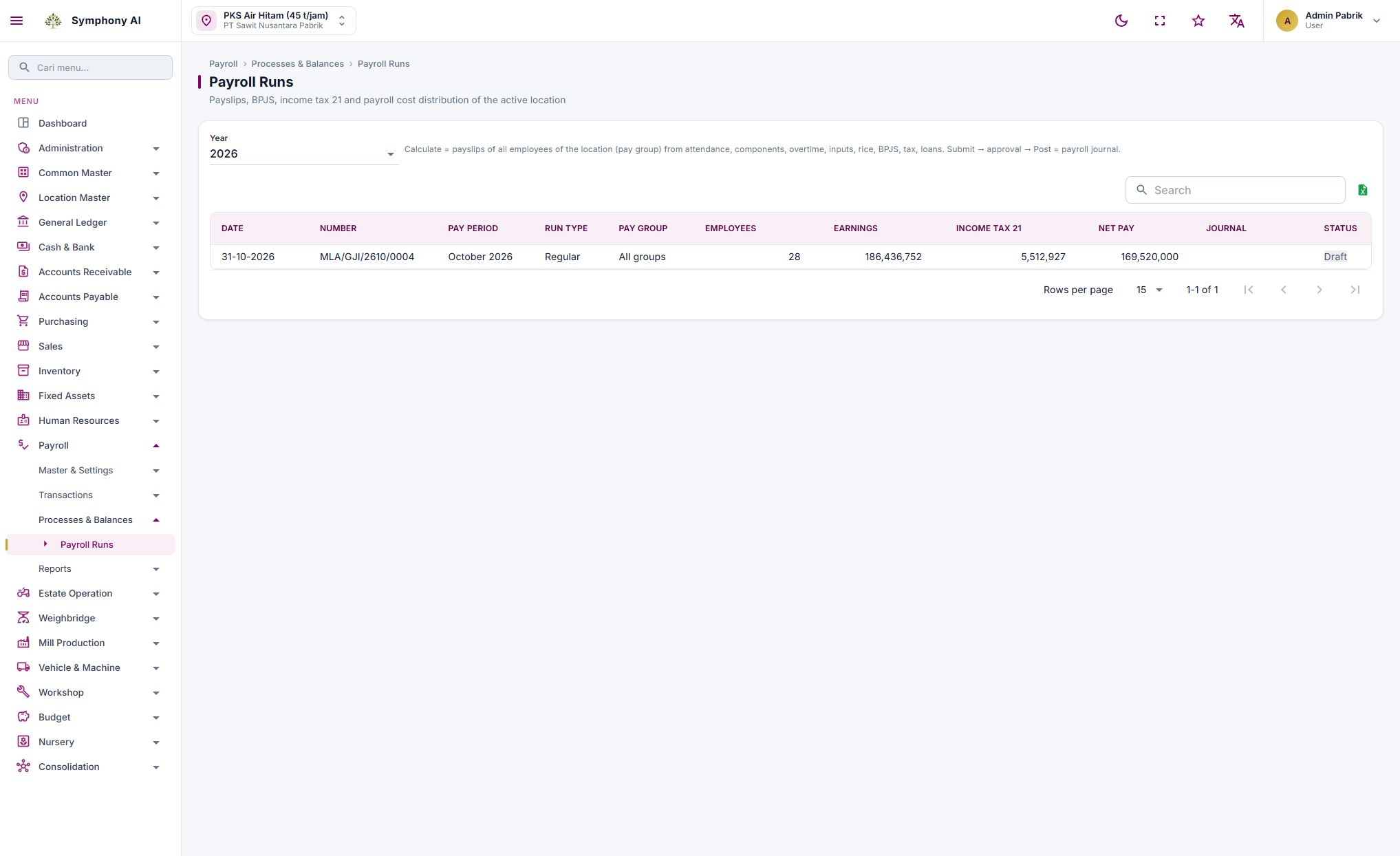
Monthly and daily wages, incentives, penalties, loans, and payslips.
BPJS and PPh 21 processing support based on company configuration.
05 / GIS
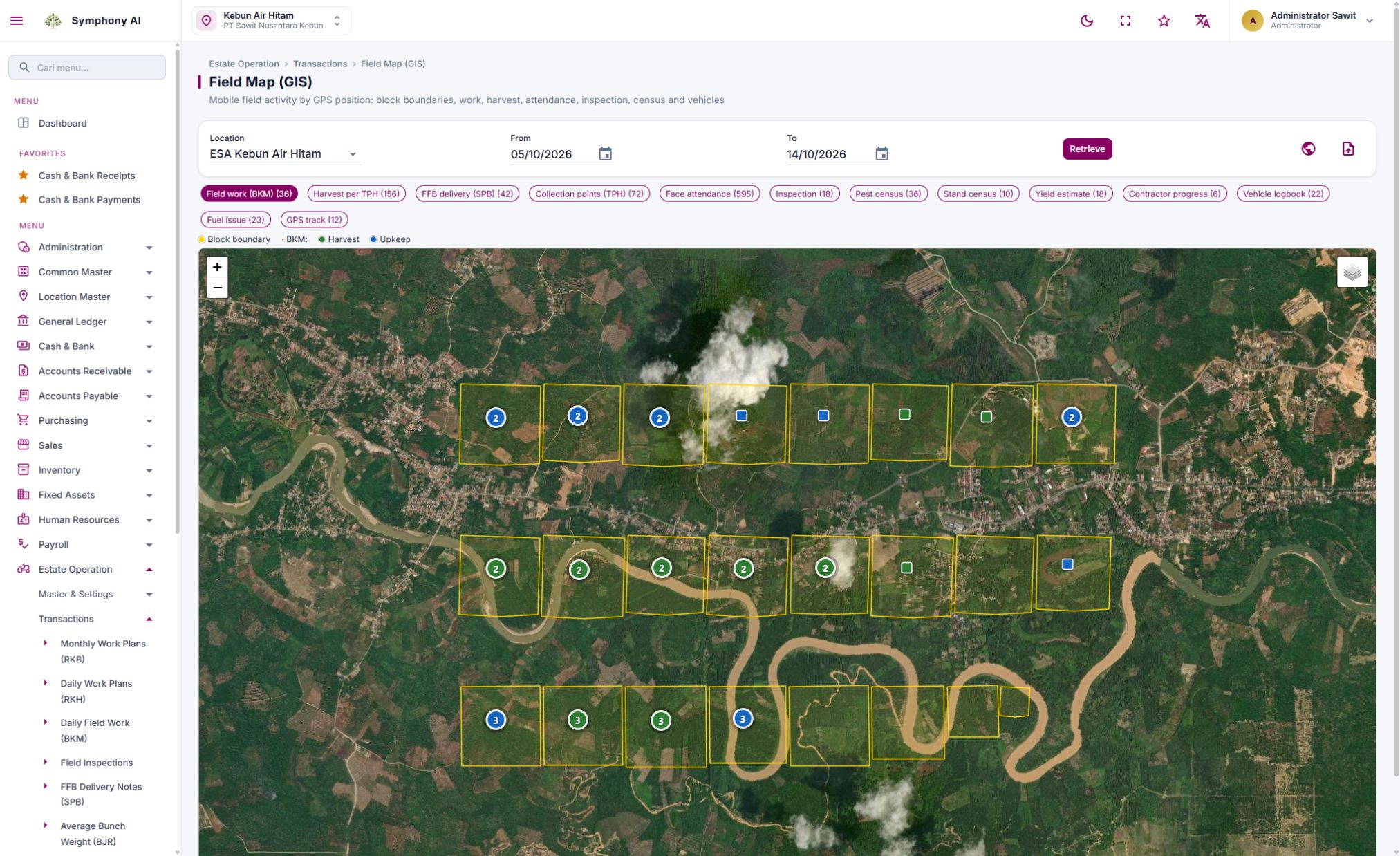
Place plantation activities and conditions on the map to identify field priorities.
For management, assistants, survey teams & field supervisorsUse your company's GeoJSON, KML, or Shapefile boundaries.
Review harvest rotation, forecast achievement, production, and pest conditions by block.
Connect BKM, SPB, attendance, and inspection submissions with GPS points.
Assign an owner, deadline, and evidence of completion for findings.
06 / MOBILE
Field Mobile records work. Manager Mobile monitors performance and handles approvals.
MOBILE / FIELD APPLICATION
An Android application for recording work directly in plantations and mills. Data is stored on the device, then synchronised and reviewed before becoming an ERP document.
FOR SUPERVISORS, CLERKS, DRIVERS & OPERATORSAT THE WORK LOCATION
Record.Every submission has a status. Teams can see whether data is pending, processed, or needs correction.
Actual Symphony Mobile screenshot: Work Inspection with templates, criteria, and scoring.
MOBILE / MANAGER APPLICATION
Bring performance summaries and documents requiring decisions to management's phone. Data scope follows each user's companies, locations, and access rights.
FOR EXECUTIVES, MANAGERS & AUTHORISED APPROVERSFOR DECISION MAKERS
See conditions.ERP data with field context, accessible wherever you work.
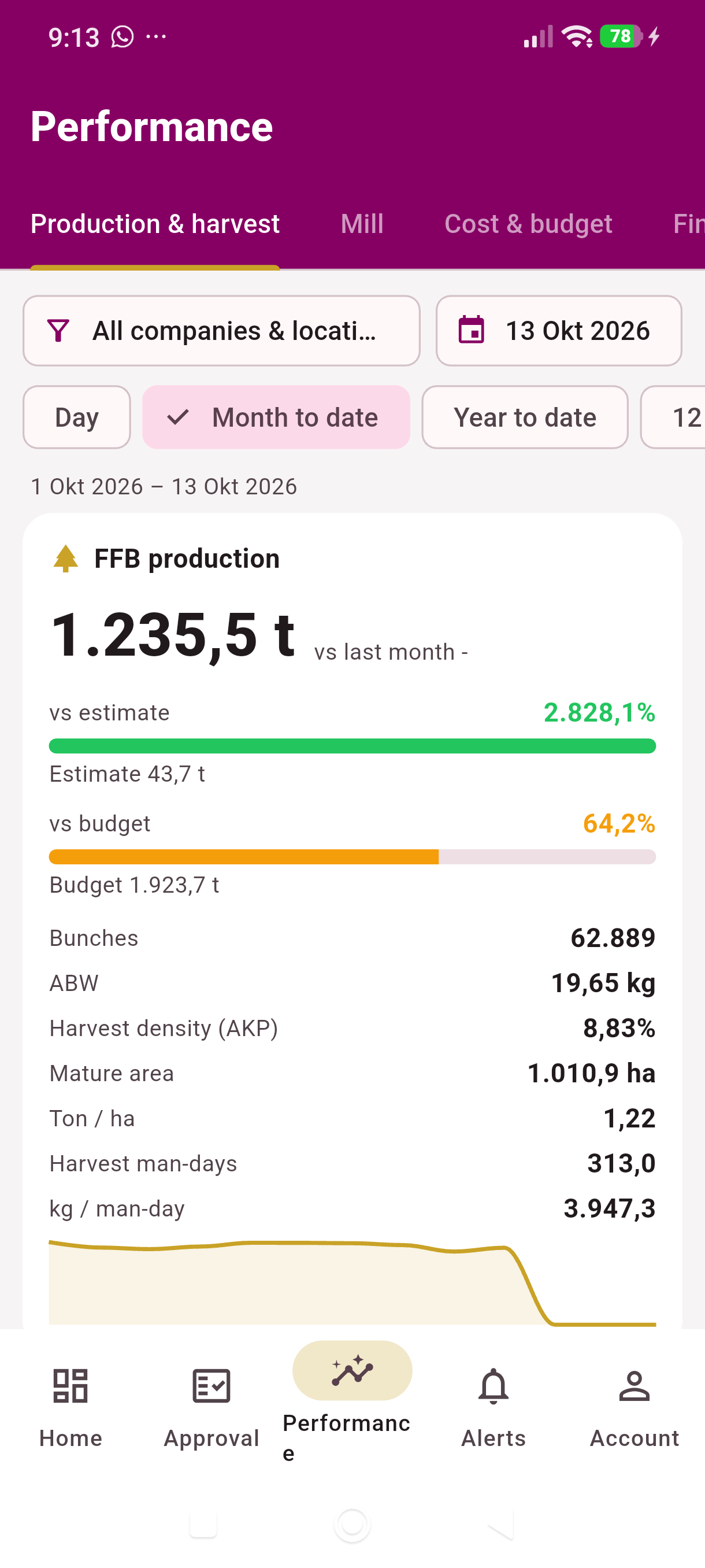
Actual Symphony Manager screenshot: production and harvest performance for executives.
AN ACCOUNTABLE DATA WORKFLOW
Mobile records work and supporting evidence for each activity type.
Mobile submissions are reviewed before being processed into draft documents.
Documents follow company approval and posting rules.
ERP and Manager provide a place to monitor results and guide action.
CHOOSING THE RIGHT PRODUCT
Our team helps map your company's product requirements.
Plantation ERP connects financial records, estate work, mill processing, and employee management. Symphony serves operational, finance, HR, and management teams that need to understand data sources, document status, production, and costs in a connected workflow.
Symphony has six solution groups: ERP Finance & Accounting, Plantation Management, Mill Management, HR & Payroll, GIS, and Mobile. The Manager application provides performance, approvals, and follow-up for management.
Scope is selected around company needs: ERP, Plantation Management, Mill Management, HR & Payroll, GIS, and Mobile. Symphony helps map processes and implementation stages.
Mobile helps field teams record work and evidence. Manager helps authorised approvers review performance, approve documents, and manage follow-up findings.
ERP can be discussed as SaaS or an on-premises installation. Infrastructure, access, maintenance, and implementation scope are agreed together.
Share your companies and locations, user teams, and priority processes. Symphony will discuss a demo, product scope, and a proposal that fits your needs.
ASSESS ITS RELEVANCE TO YOUR COMPANY
Let's prepare a demo around your plantation, mill, and office challenges.