Symphony FieldMate
Teams record attendance, work, harvest, vehicle use, and mill conditions directly from their phones.
Explore field operationsINTEGRATED PLANTATION ERP
Know what needs action. Connect finance, taxation, purchasing, inventory, sales, estates, and mills in one ERP. Record in FieldMate, monitor in Insight, and use AI to support reviews and decisions.
Harvest. Deliveries. Costs.
Performance visibilityProduction & progress against targets
Focused controlBudgets, approvals & traceability
Connected dataField operations, processing & finance
ONE SYSTEM. THREE CONNECTED ROLES.
Teams record attendance, work, harvest, vehicle use, and mill conditions directly from their phones.
Explore field operationsConnect operational transactions with purchasing, sales, inventory, finance, and cost control.
Explore the ERPManagement reviews performance, AI briefings, approvals, alerts, maps, and follow-up from a phone.
Explore management controlOne traceable workflow. Access and approvals follow user authority.
FROM INFORMATION TO ACTION
Management sees priorities. Teams see work awaiting action. Dashboards and work boards connect information with everyday follow-up.
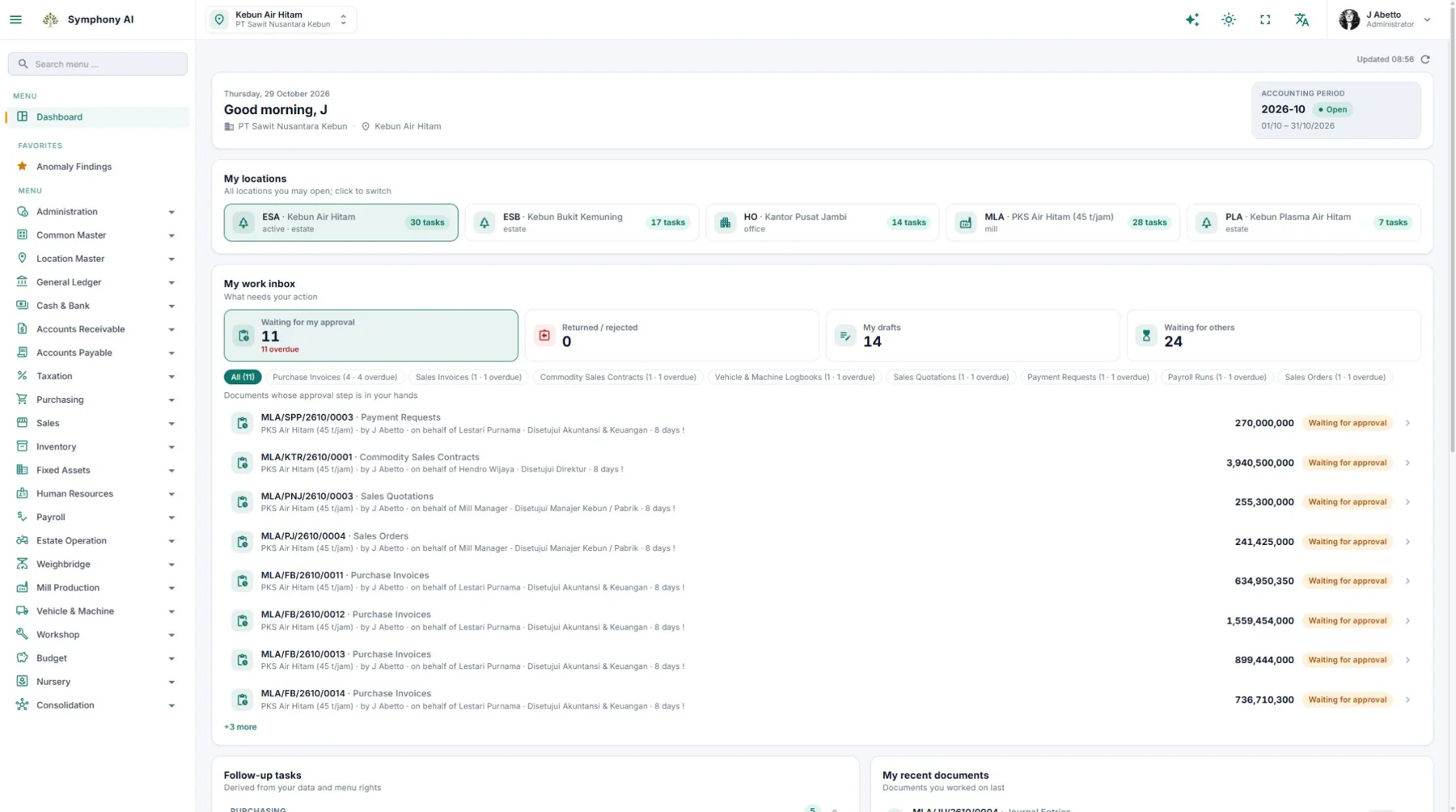
See pending approvals, returned documents, drafts, and follow-up tasks for your locations and access rights. Open the related records to continue the work.
Application screenshot · Click to enlarge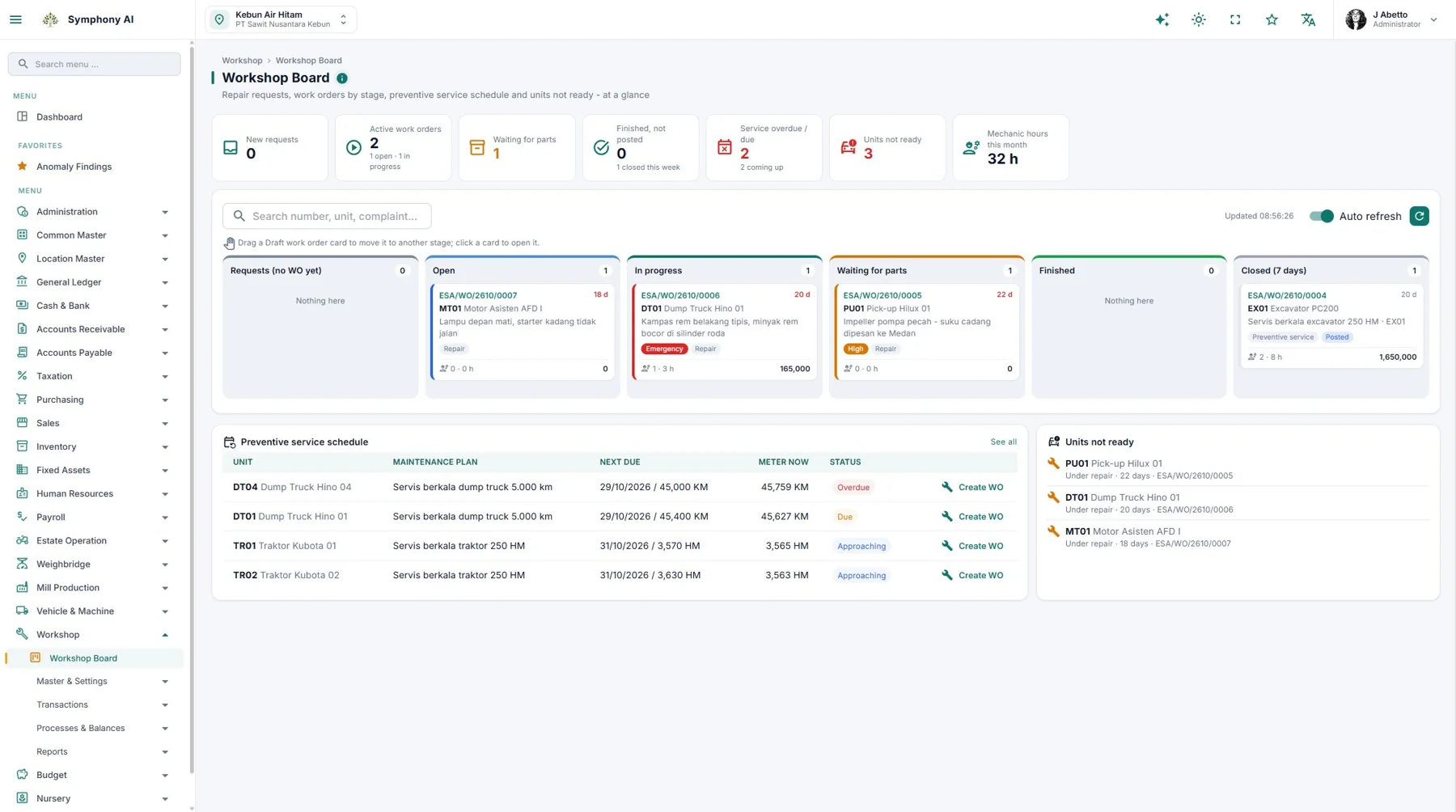
In Workshop, follow open work orders, jobs in progress, and repairs waiting for parts. Review service schedules and unavailable units to decide what needs attention.
Application screenshot · Click to enlargeWork priorities follow the data, locations, and user authority.
COMPREHENSIVE COVERAGE. REAL SCREENS.
From finance, taxation, purchasing, inventory, and sales to estates, mills, and maintenance. Select an area to explore its benefits and an actual application screen.
ERP · FINANCE & ACCOUNTING
Connect Financial & Accounting, Taxation, Purchasing, Inventory, Sales, assets, budgets, and consolidation in your business workflow.
Explore product details →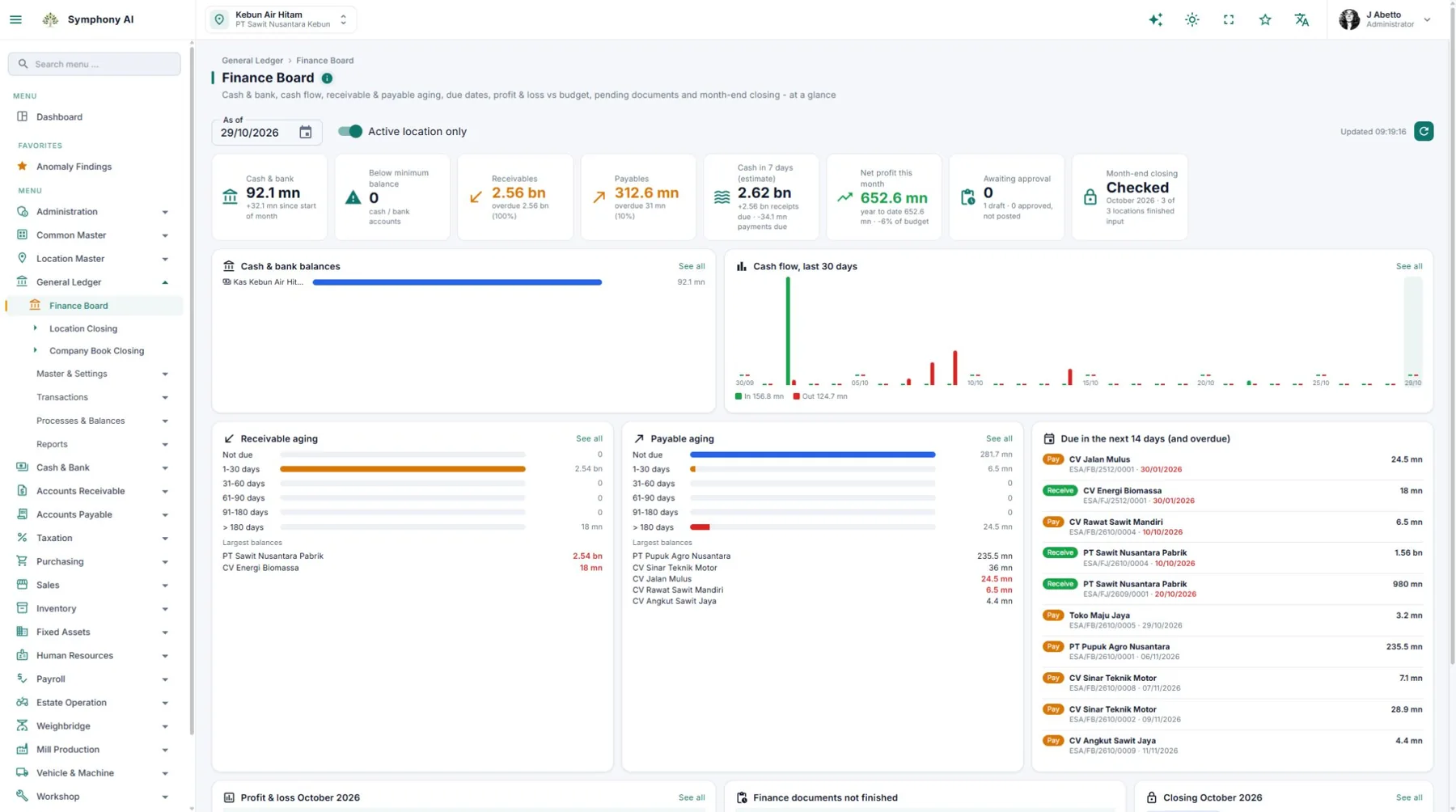
PLANTATION MANAGEMENT
From daily plans to field work records, harvesting, maintenance, and inspections. Put estate activities and results in context.
Explore product details →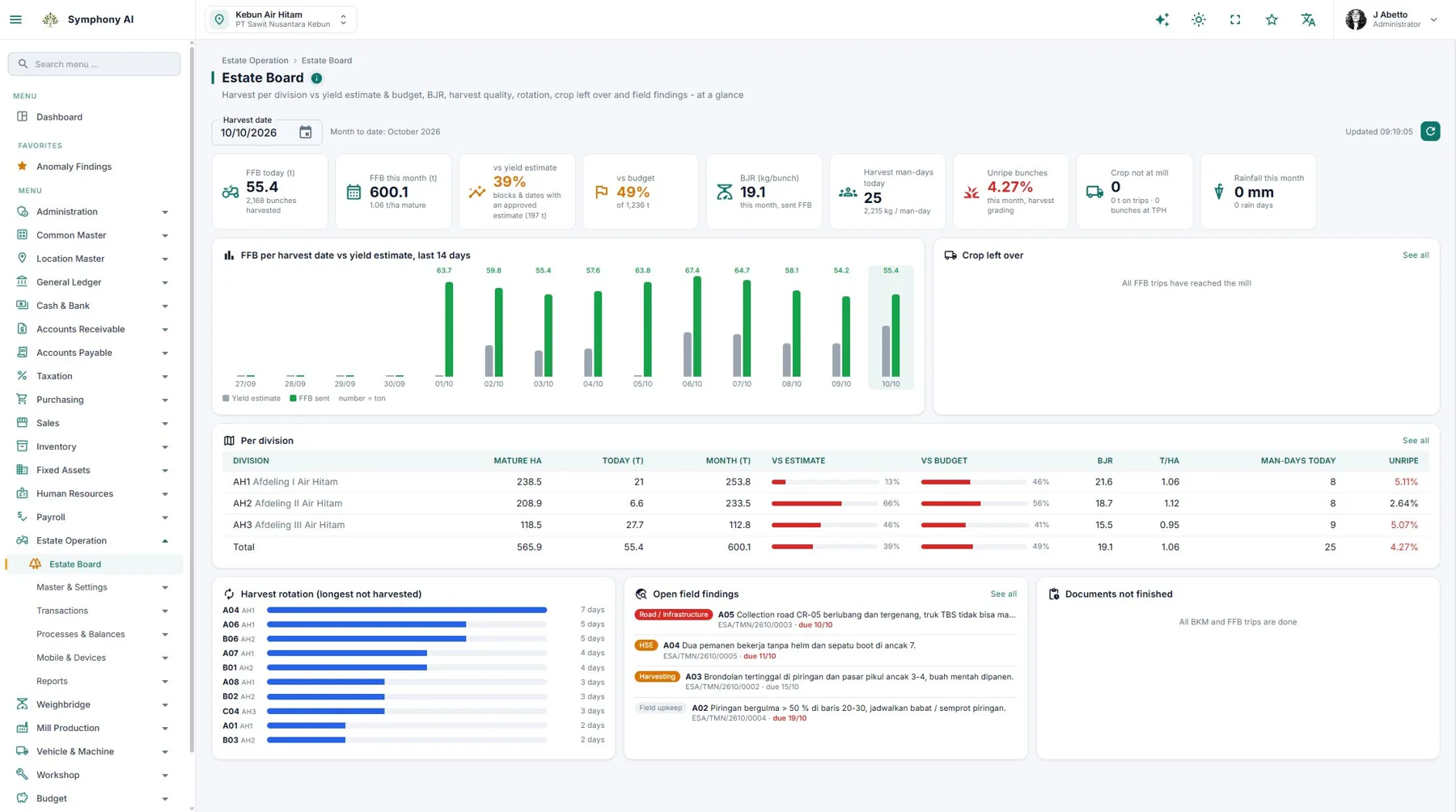
MILL MANAGEMENT
Connect mill intake, production, stock, quality, and costs. SCADA integration is available for discussion as an option.
Explore product details →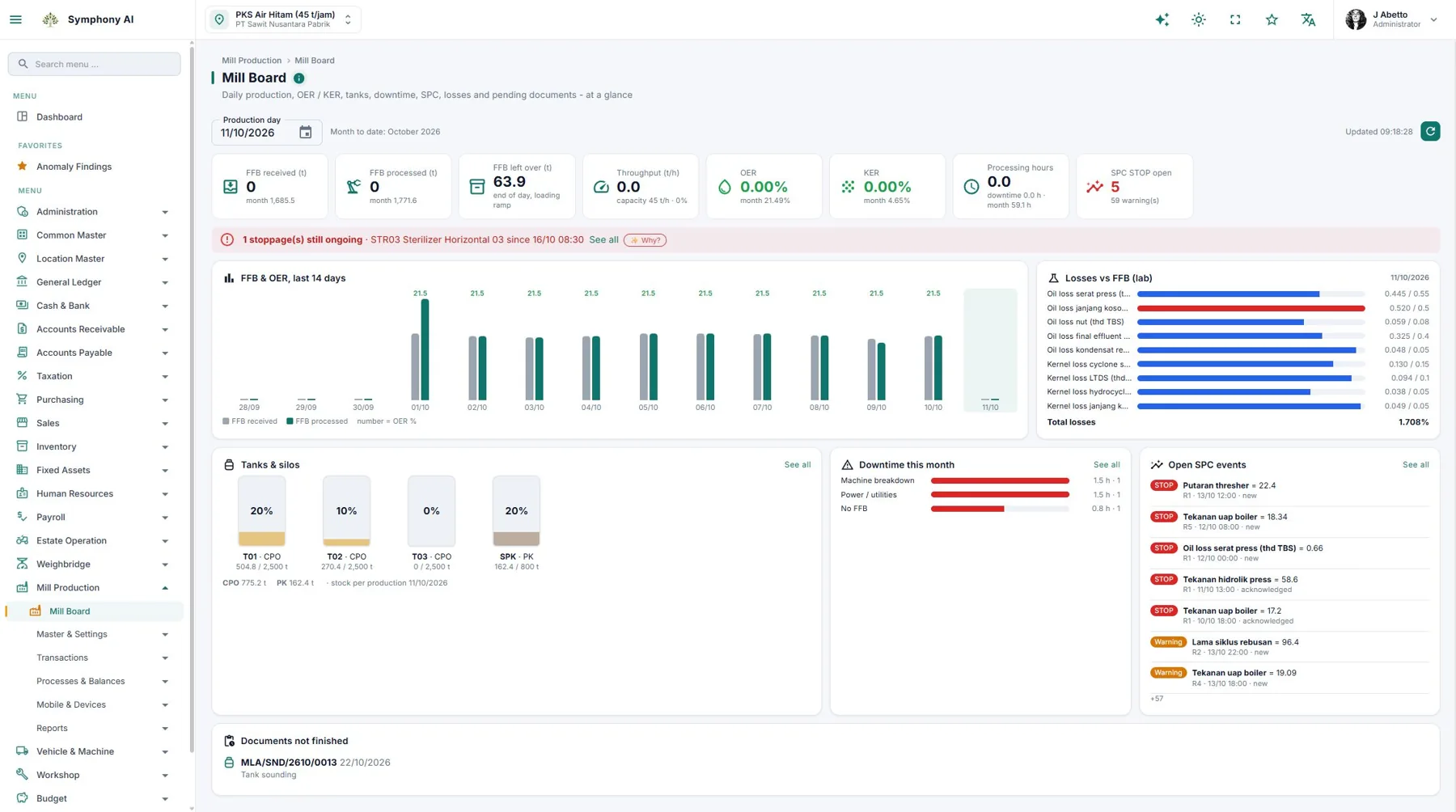
HR & PAYROLL
Connect employee data, attendance, and work output to payroll processing and cost allocation.
Explore product details →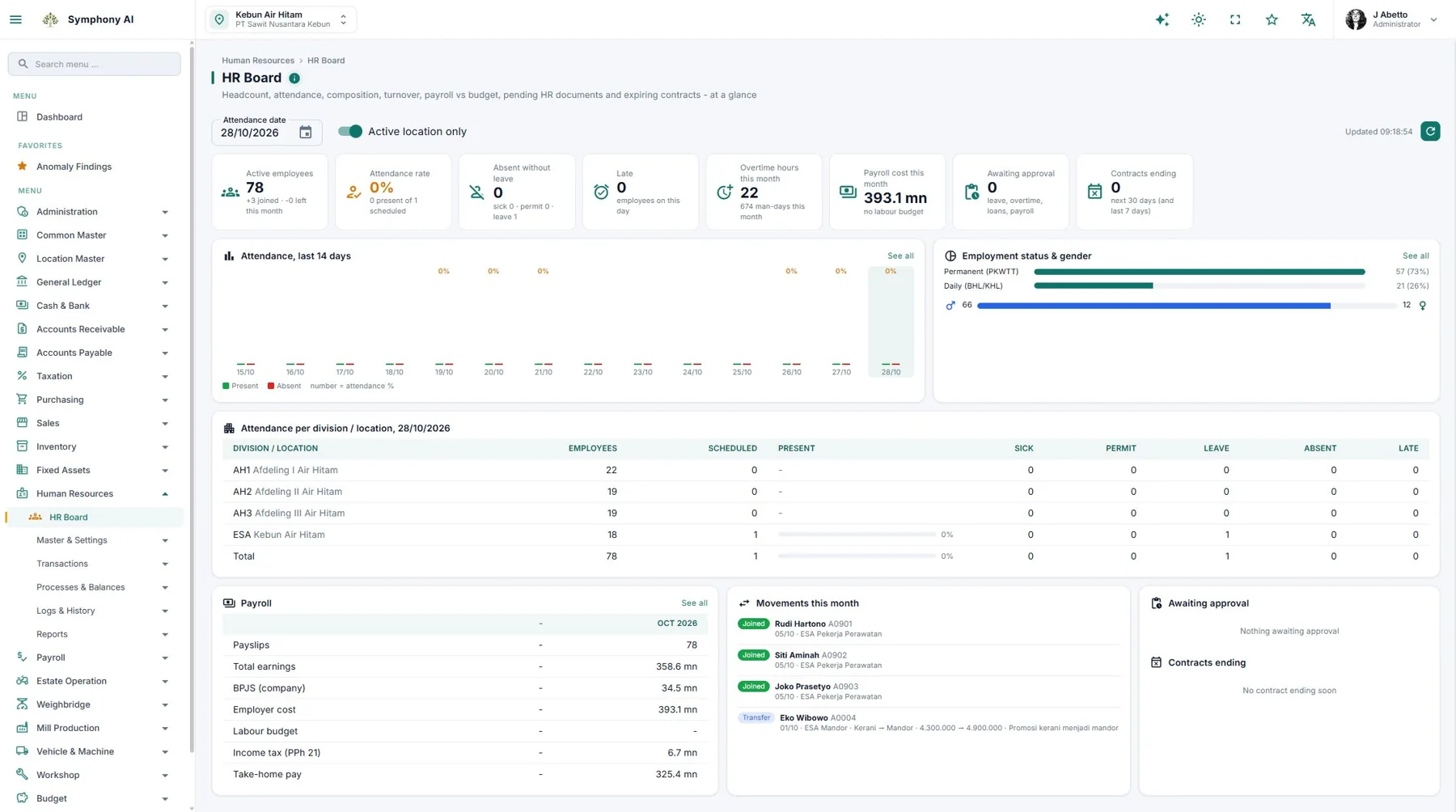
GIS & FIELD OPERATIONS
Block maps and activity layers help management track estate conditions and prioritize site visits.
Explore product details →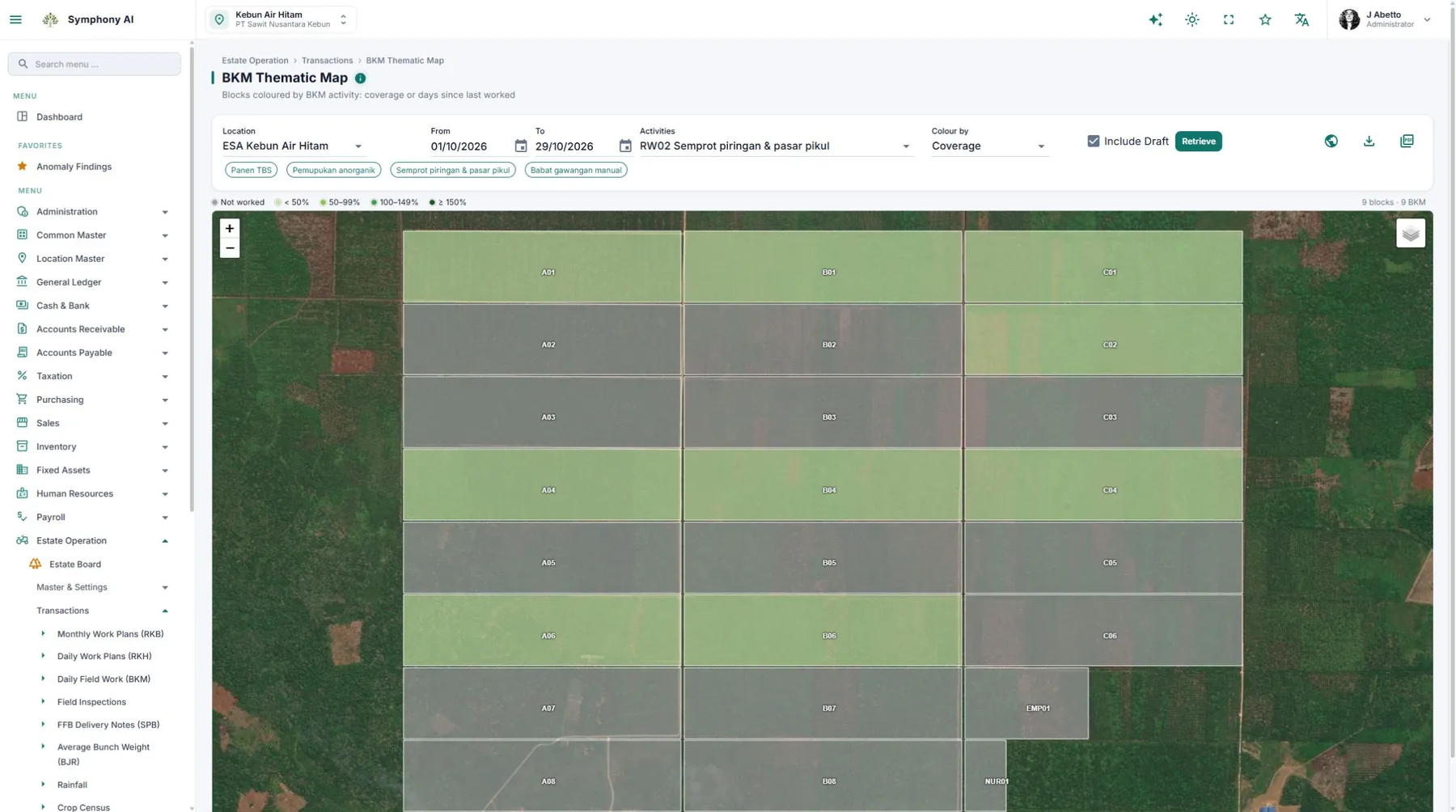
WORKSHOP & VEHICLES
The work board shows work orders by stage, parts delays, service schedules, and unavailable units.
Explore product details →WEIGHBRIDGE
The weighbridge application stores records locally while offline for later synchronization.
Explore product details →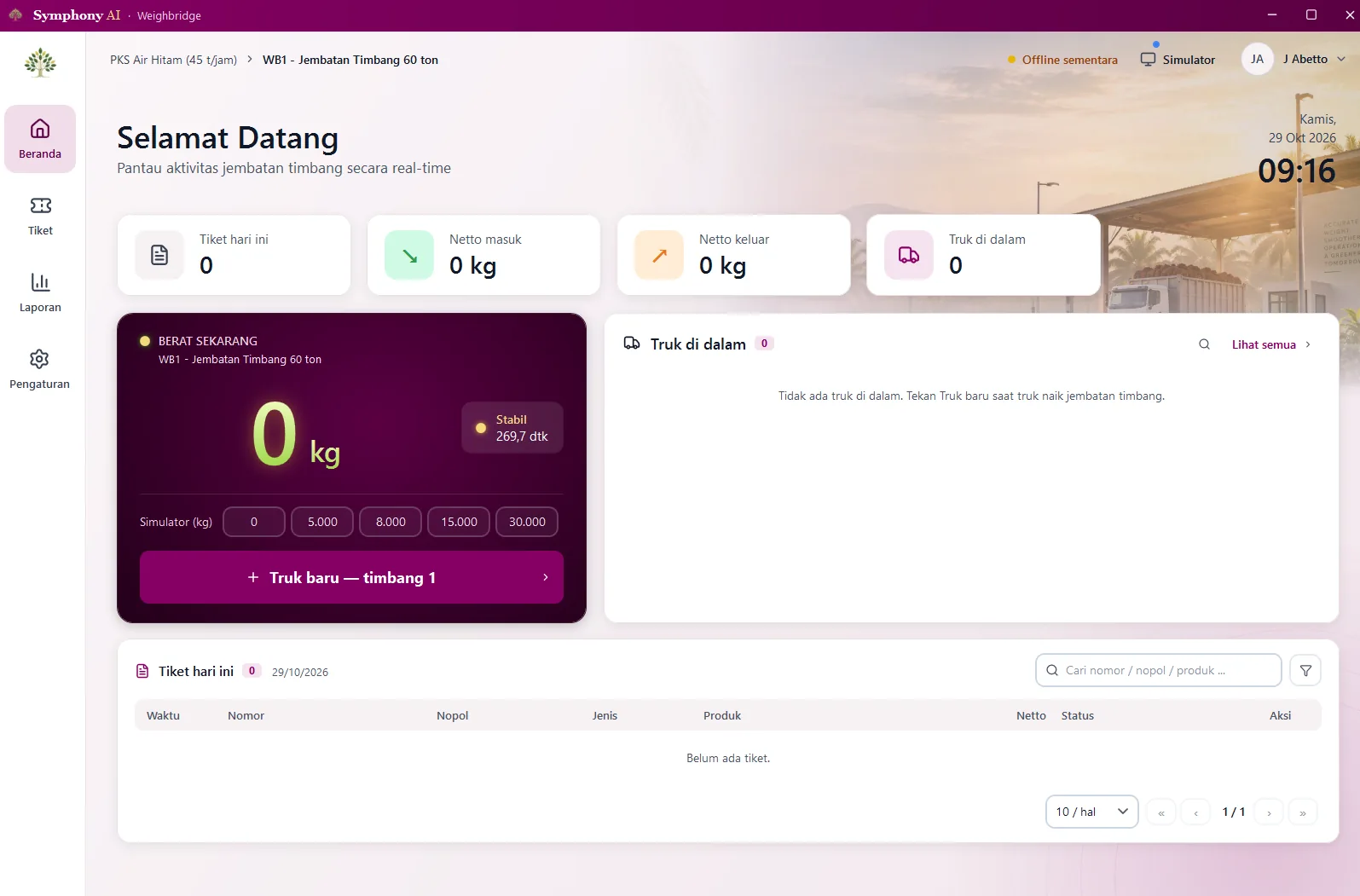
INTEGRATED PLANTATION ERP, ENHANCED BY AI
Symphony connects finance, purchasing, sales, estates, mills, vehicles, and workshops in one system. AI assistance helps management understand reports, review variances and requests, and prepare follow-up actions for month-end closing.
Explore Symphony capabilitiesAI assists with data entry from PDF documents and prepares proposed Daily Work Plans based on AI analysis. Review and adjust the results before saving.
Configured checks flag transaction anomalies. AI helps explain findings and what to investigate, so teams can focus their review.
Use Summarize with AI to review document summaries, items worth checking, and questions for the requester before deciding on an approval.
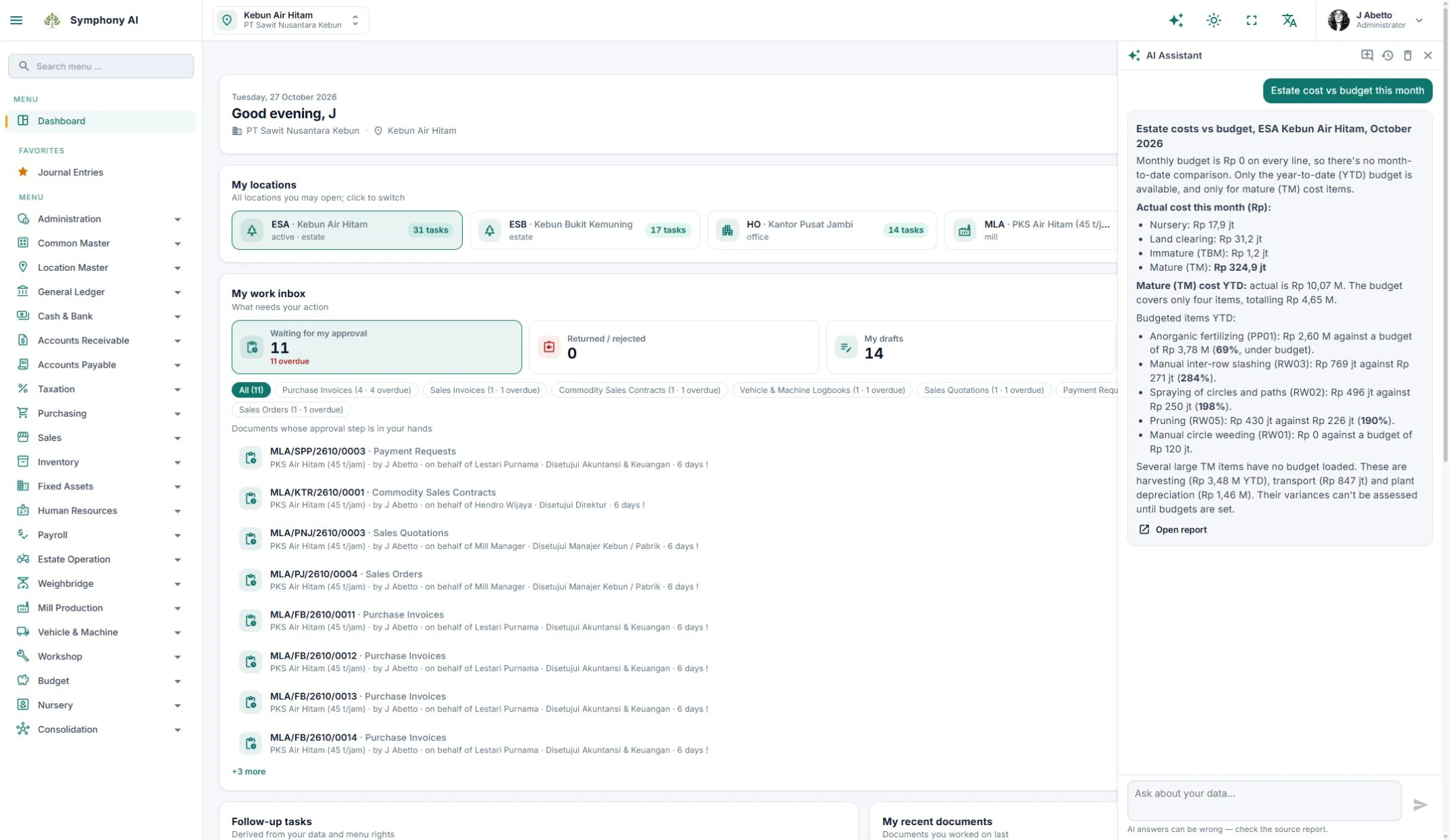
Ask about production, costs, cash, or payables. Read explanations with links to source reports to trace the figures.
Turn closing check results into an ordered action plan and relevant menus. Help teams investigate issues before carrying out the closing process.
The Why? button explains messages, possible causes, and corrective steps using the application guide.
User access permissions still apply. AI does not approve, post, or cancel documents. Review invoice fields and daily work plan recommendations before saving.
AI features require activation and use a shared monthly company quota. AI responses can be incorrect; verify source reports and documents.
SYMPHONY FIELDMATE
From attendance and vehicles to plantation and mill operations. Record activity on your phone, then sync and review data through your company workflow.
Face Attendance
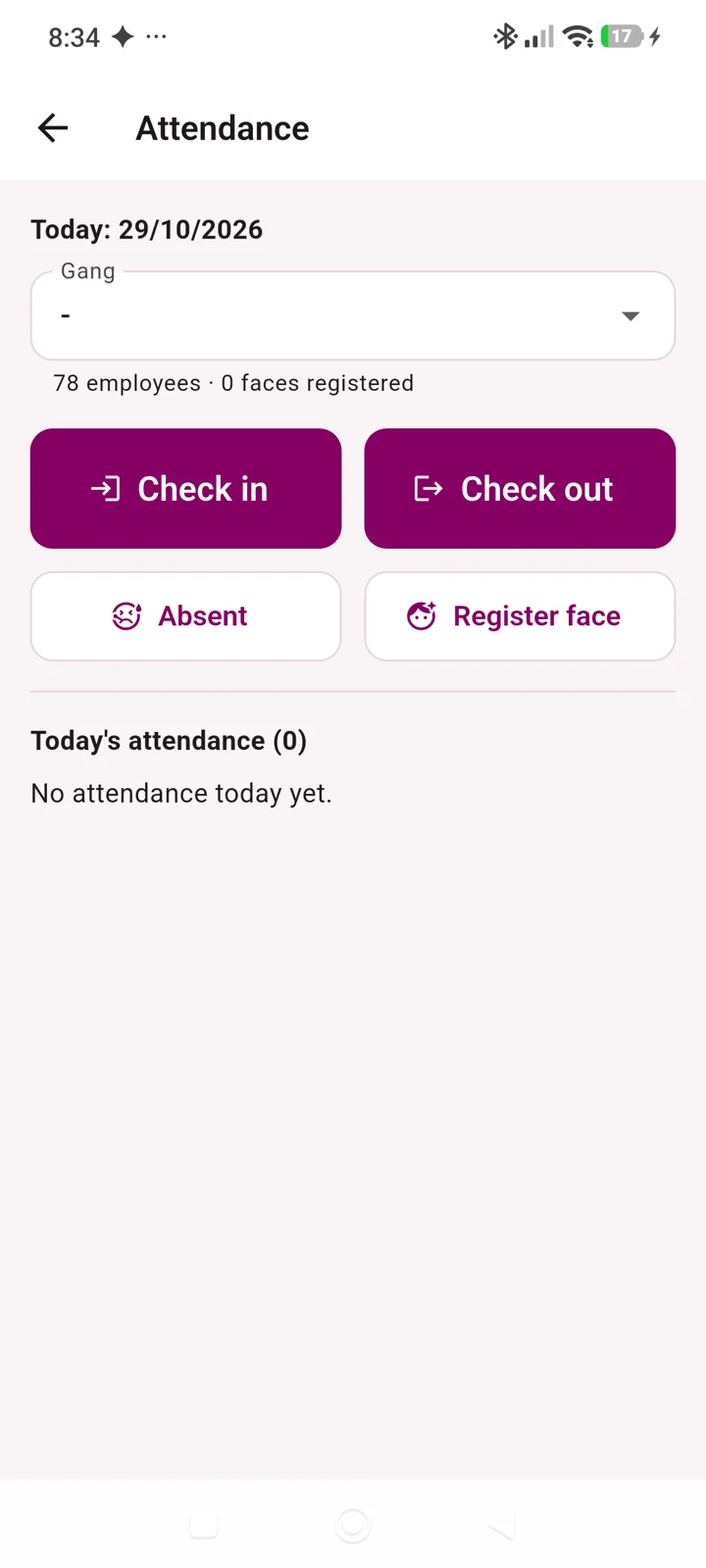
Use face attendance and GPS location to support attendance checks. Keep records that help the team trace workforce activity.
Vehicle Logbook & Fuel
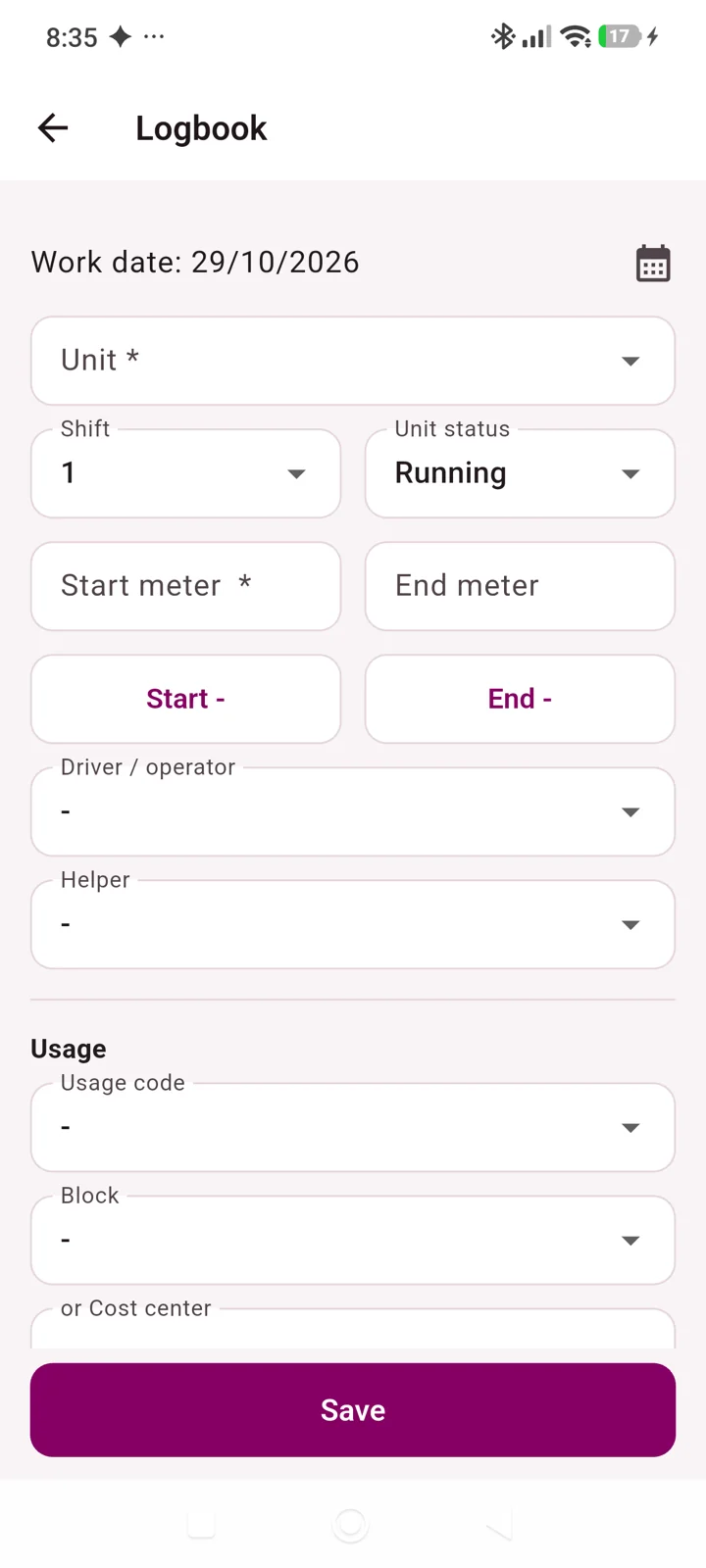
Record vehicle logbooks and refuelling from a phone so the team can review vehicle use alongside operational work.
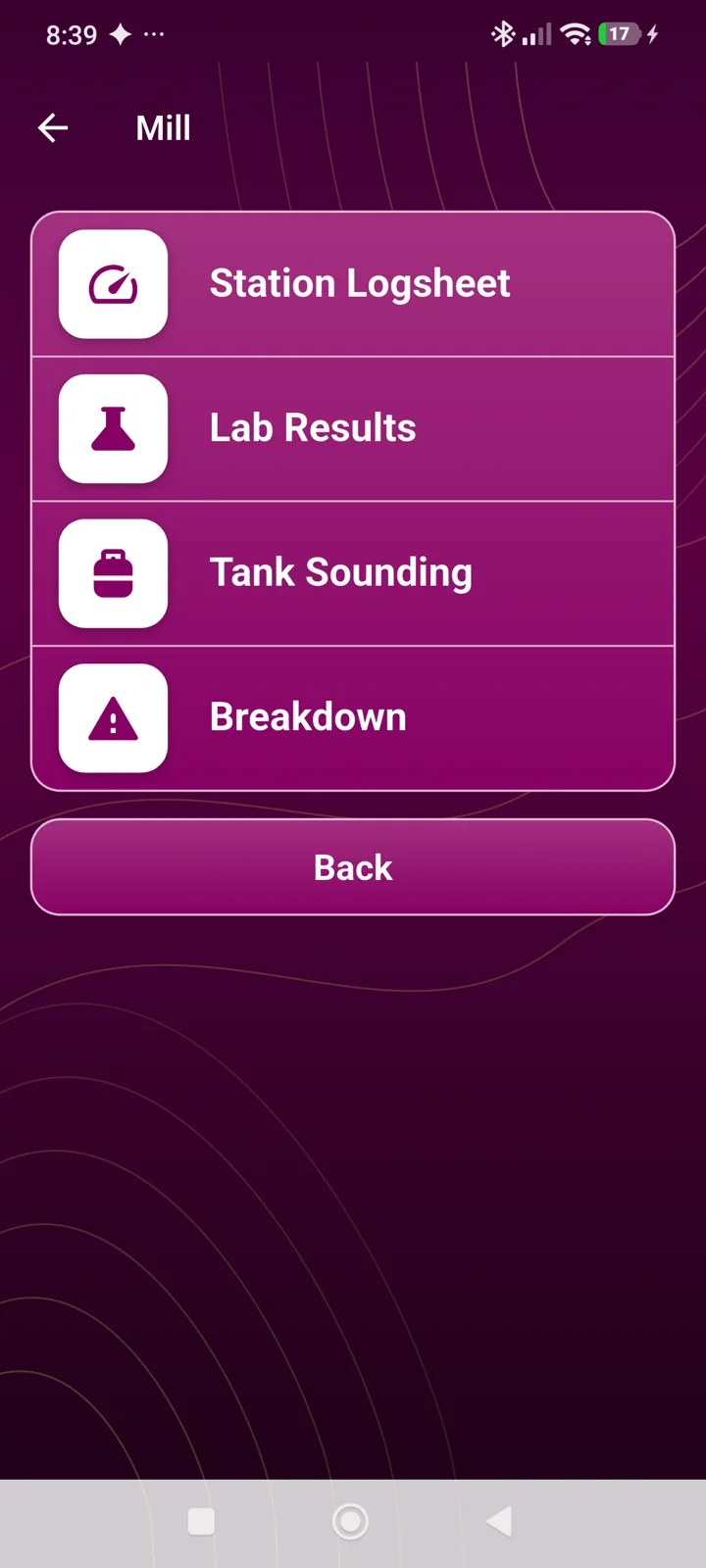
Estate Work
Record work, harvest results and inspections at the work location. Office teams can review submissions before further processing.
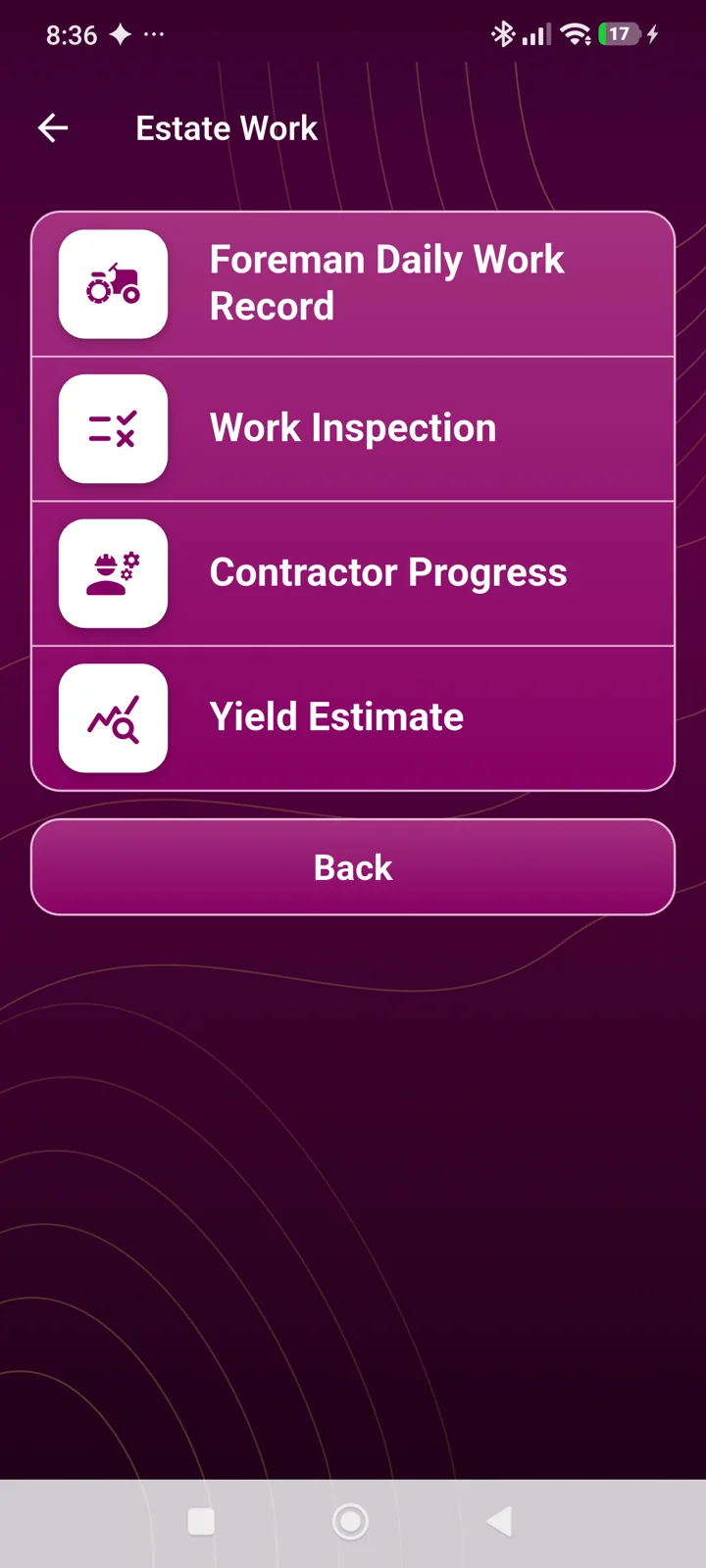
Harvest & FFB
Record fruit delivery notes (SPB) and verify deliveries through FieldMate. Connect estate records with checks on fresh fruit bunch shipments.
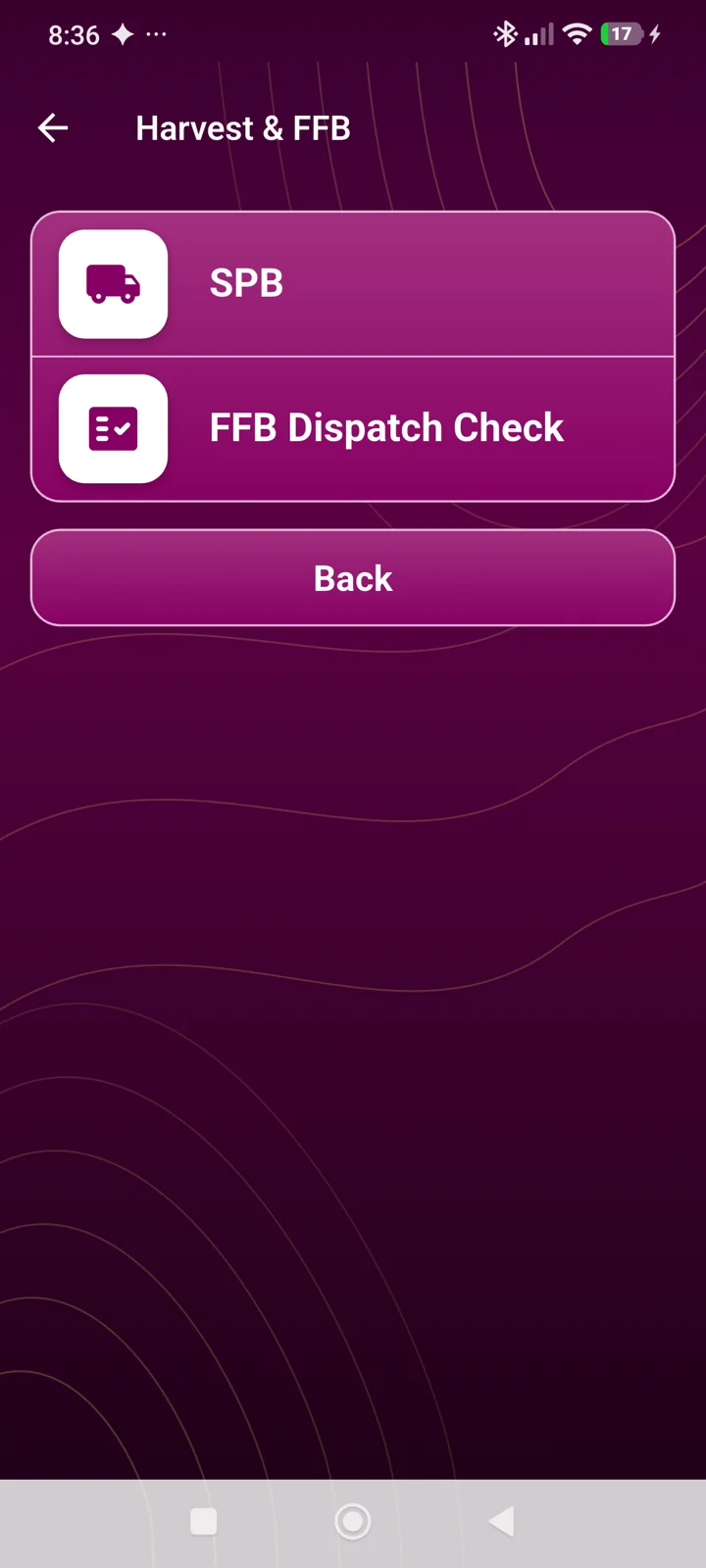
Census
Record tree, pest and seedling censuses from your phone. Track seedling movements to help teams review plantation and nursery records and plan follow-up.
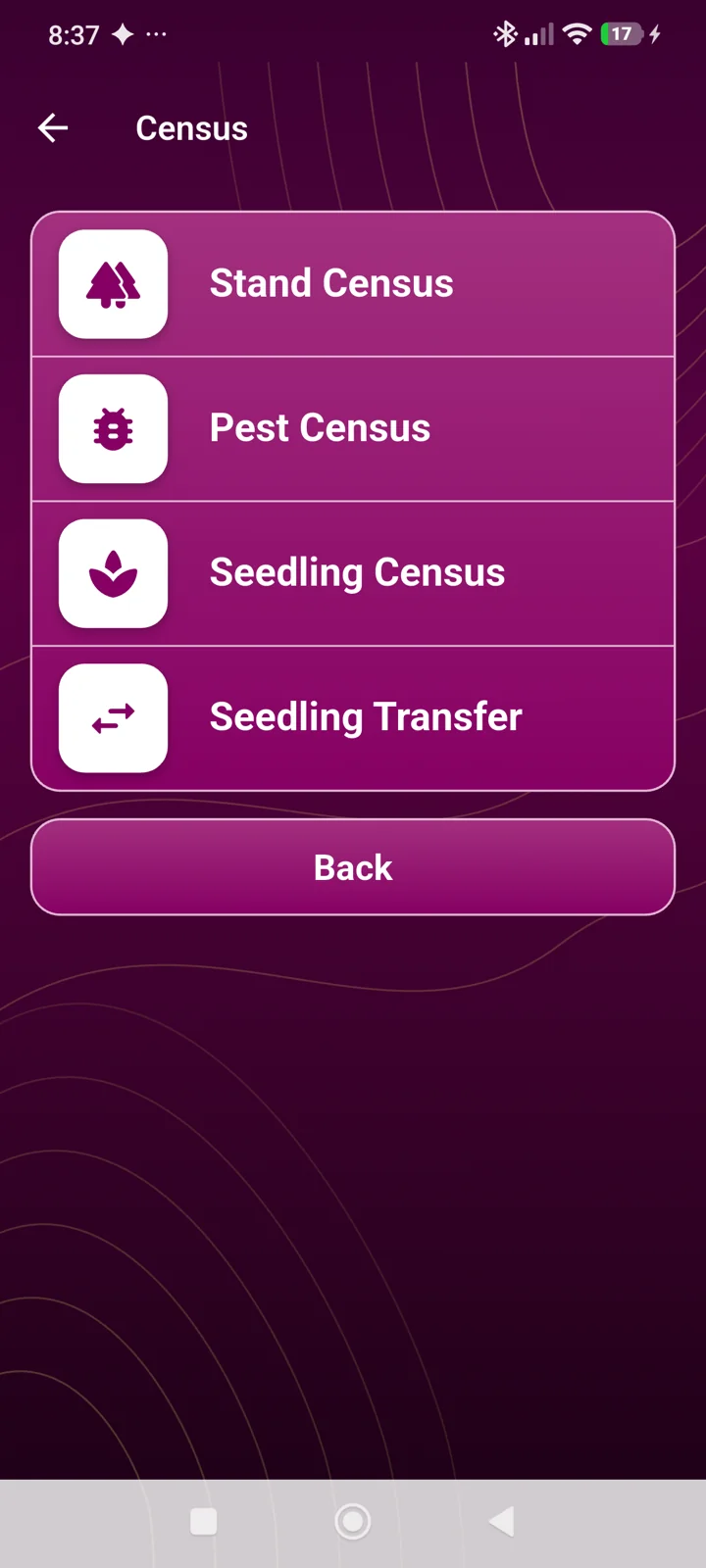
Mill
Station logsheets, laboratory results, tank sounding and breakdown records help teams collect mill operational data from their phones.
SYMPHONY INSIGHT
From morning briefings and approvals to performance and field visits. Information follows your companies, locations, and access rights.
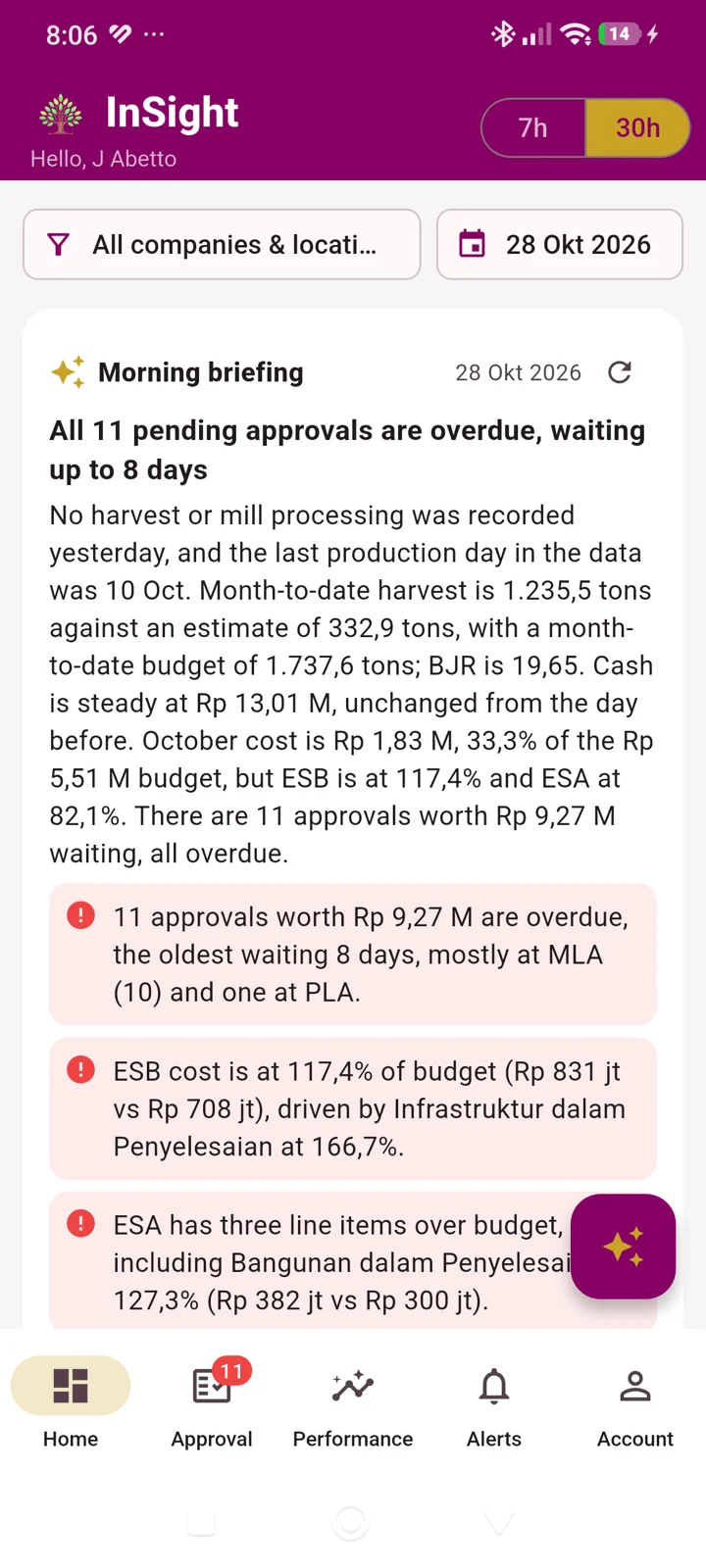
Morning Briefing
Read an AI-assisted summary of performance, costs, and pending approvals. Identify what needs attention, then check the underlying data before taking action.
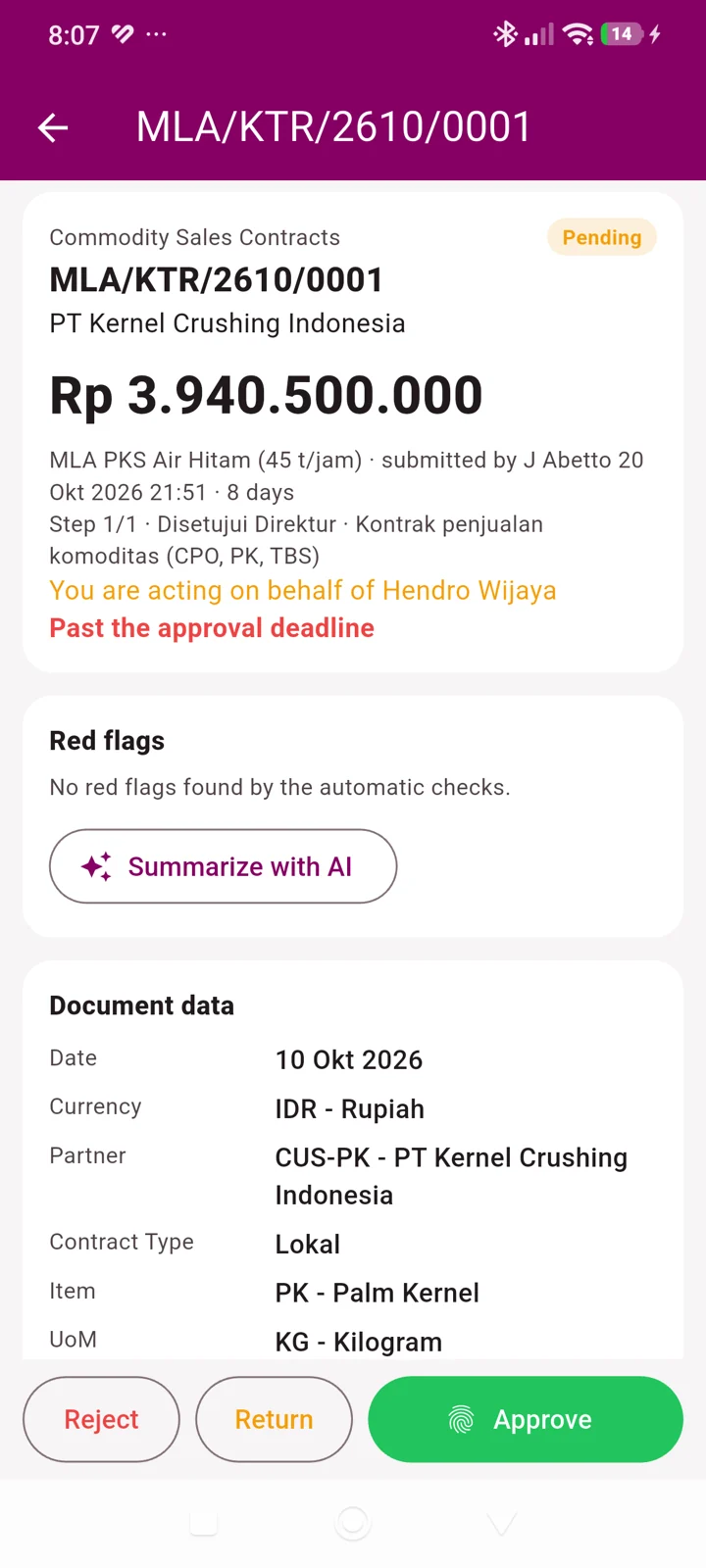
Approval AI
Open the document, review automatic checks, and use Summarize with AI to help understand the request. The approval decision remains with the authorized user.
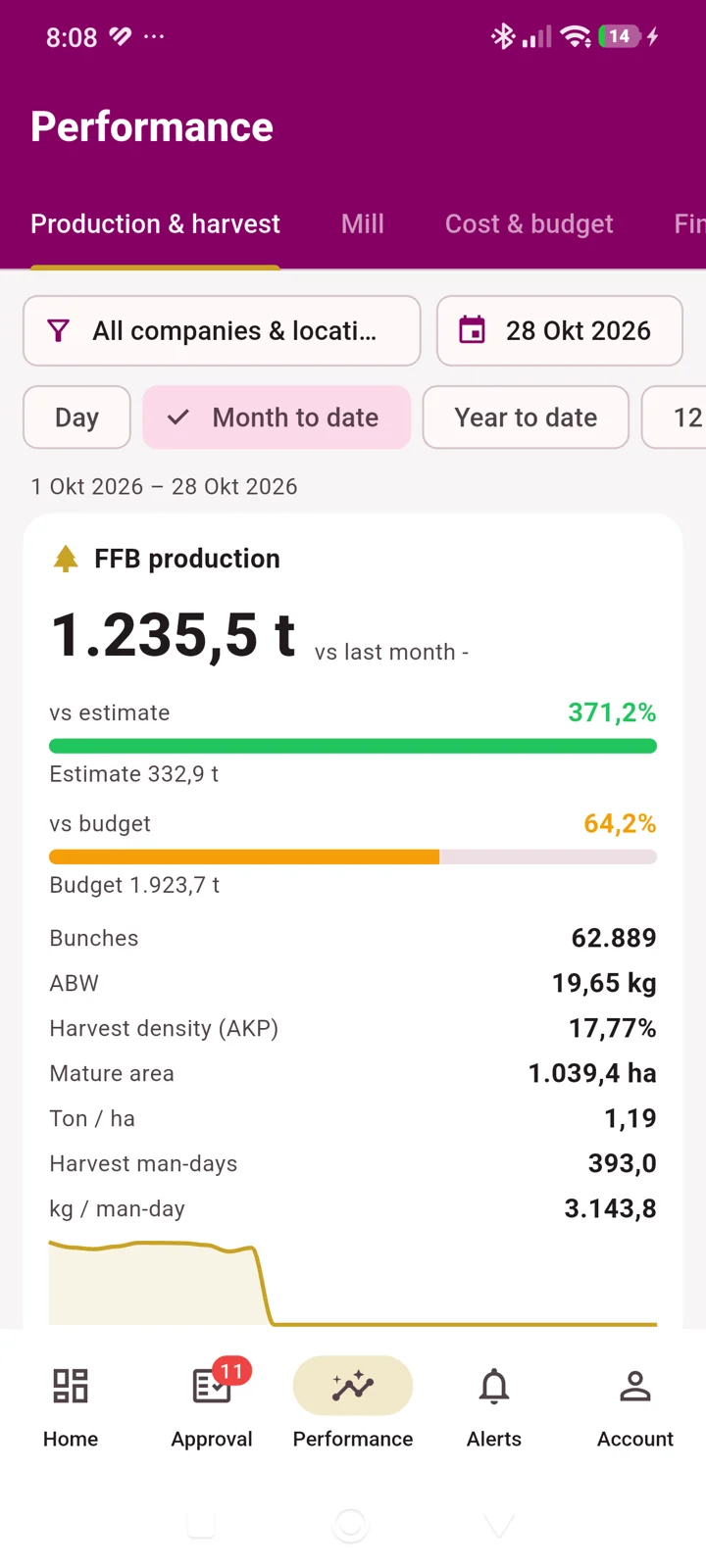
Performance
Monitor production, harvest, mill performance, costs and budgets from your phone. Compare results to targets and follow up on deviations.
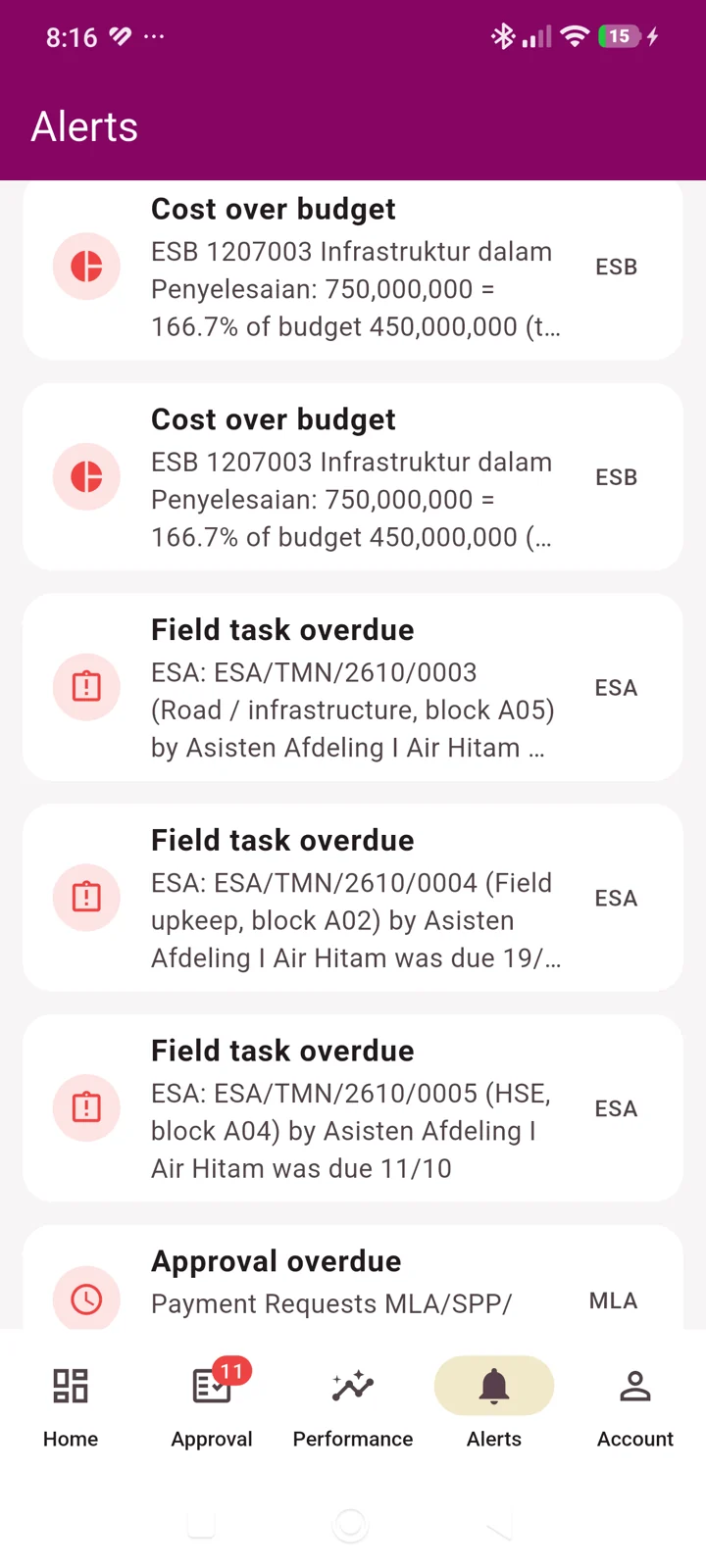
Alerts
Review warnings such as overdue approvals and costs above budget. Use the information to prioritize checks and coordinate the next action.
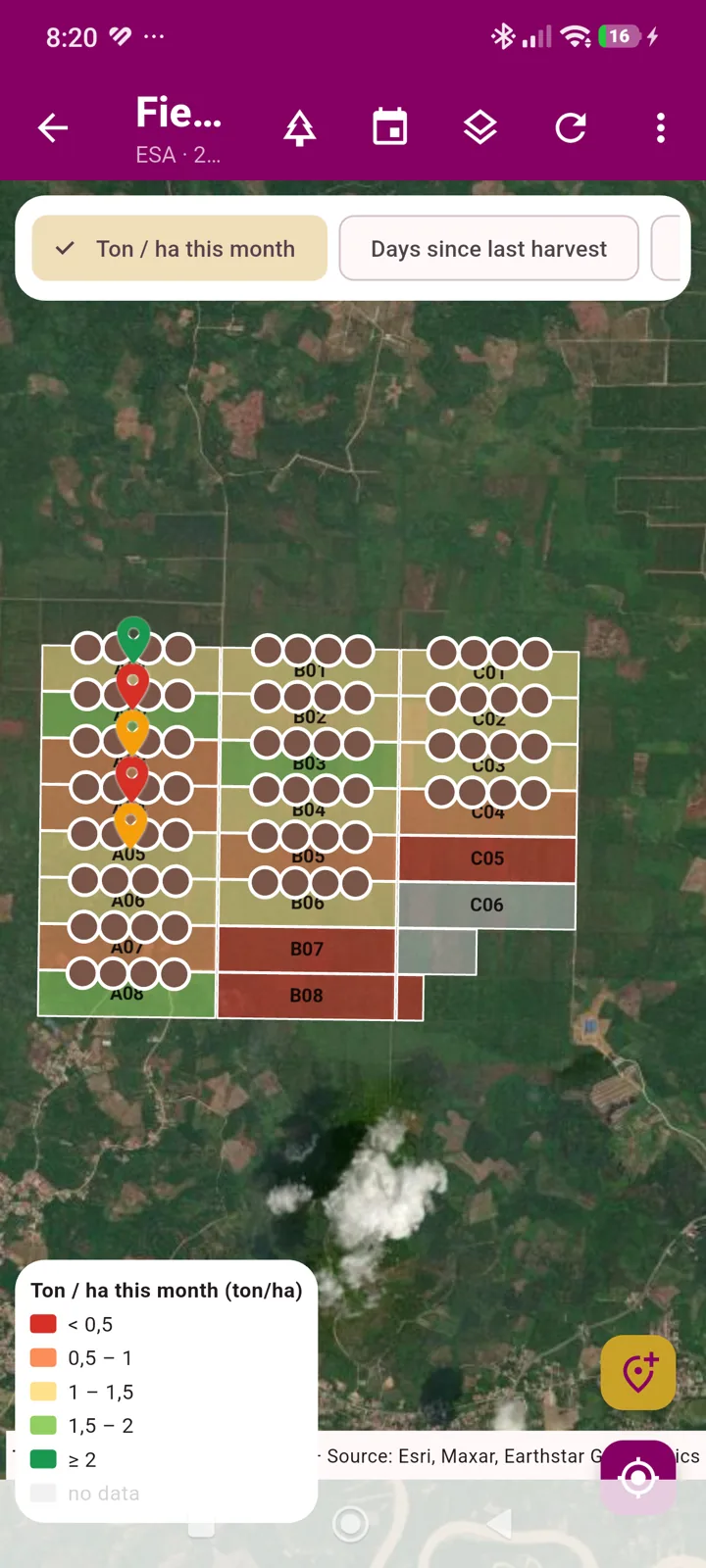
Field Map
View plantation blocks and location markers. Compare mapped indicators such as yield per hectare and days since the last harvest to guide field visits.
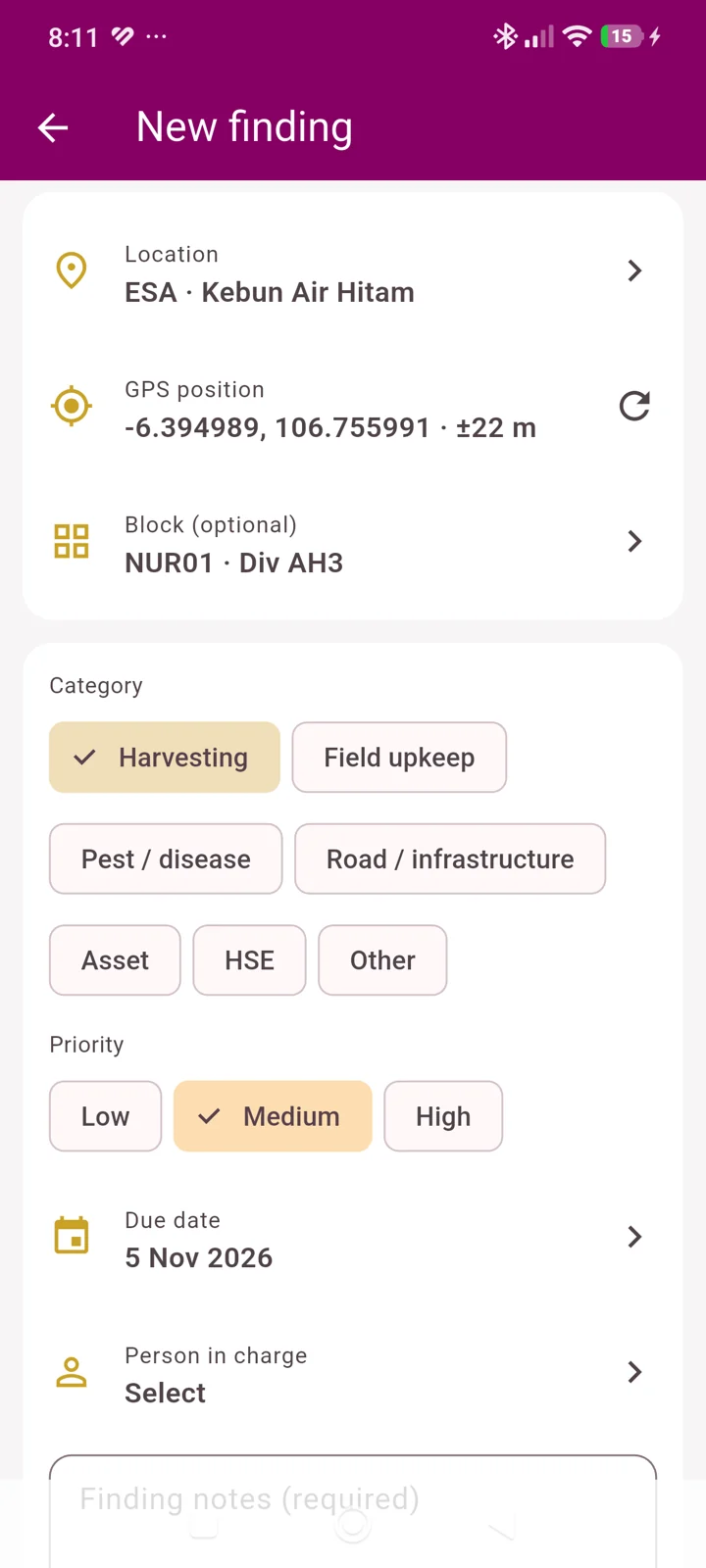
New Finding
Record findings from field visits so the team can review the issue and coordinate follow-up. Start from the finding button on the Field Map.
EXAMPLE HARVEST & FFB TRACEABILITY
In an oil-palm workflow, BKM, deliveries, and weighing connect output to its source. The workflow relevant to your company's crops is mapped during the demo.
Discuss your plantation workflowAttendance and BKM connect workers, harvest output, collection points, and activity locations.
QR-coded SPBs are checked at the checkpoint. Bunch discrepancies are recorded for investigation.
Weights and grading are linked to SPBs so output can be traced back to its block.
Review verified data and give your team clear follow-up directions.
Explore requirements across plantation commodities, common ERP workflows and the scope to discuss before implementation.

Connect coffee estate work, harvest records and costs.
Explore the solution →
Bring tea estate plans, picking records and costs into view.
Explore the solution →
Trace estate work, FFB and mill output through to costs.
Explore the solution →
Review coconut harvest rounds, estate output and costs.
Explore the solution →
Connect cocoa estate work, harvest records and quality requirements.
Explore the solution →
Bring tapping plans, received output and estate costs together.
Explore the solution →
Review crop-season costs and harvest-to-delivery records.
Explore the solution →
Review field work and costs from planting to harvest.
Explore the solution →FROM DEMO TO INVESTMENT DECISION
Start with company processes and desired outcomes. The demo and proposal help management assess implementation scope.
Map crops, companies, locations, users, and production, cost, or administrative challenges.
Discussion outcome: priority processes & modulesSee recording, review, approval, and reporting using company scenarios.
Demo outcome: an assessment of process fitDiscuss data readiness, device integrations, rollout stages, and team support needs.
Discussion outcome: scope, stages & proposalINTEGRATED PLANTATION ERP
Plantation ERP software connects estate operations with company records and reporting. Symphony Plantation AI brings together field work records, harvest, upkeep, inventory, finance, mills, HR & Payroll, GIS, and the Mobile and Manager applications. Teams can trace field records through operational and financial documents, compare costs with budgets, and follow up approvals within their authority.
BEFORE YOU BEGIN
Have a specific question?
Talk to our team ↗Plantation ERP connects financial records, estate work, mill processing, and employee management. Symphony serves operational, finance, HR, and management teams that need to understand data sources, document status, production, and costs in a connected workflow.
Symphony has six solution groups: ERP Finance & Accounting, Plantation Management, Mill Management, HR & Payroll, GIS, and Mobile. The Manager application provides performance, approvals, and follow-up for management.
Requirements for oil palm, coconut, coffee, cocoa, tea, rubber, sugarcane, and seasonal crops are discussed around company processes. Symphony helps map the relevant modules and workflows in the demo.
Scope and implementation stages can be discussed around company priorities, data readiness, and users. Start with your most important operational needs.
Mobile stores field records on the device and synchronises when connectivity returns. The Weighbridge application stores readings and tickets locally so weighing can continue.
Information access follows the user's companies, locations, and authority. Documents follow approval workflows; Mobile submissions are reviewed before being processed into documents.
Share your priority modules, locations and users, data readiness, and device integration needs. Symphony discusses scope, stages, and a proposal based on those requirements.
The AI assistant helps explain data and reports, summarize approval documents, read invoices, recommend daily work plans, and prepare morning briefings in InSight. It follows user access permissions. Users still review results, save documents, and make decisions. AI activation and quotas are discussed according to company needs.
THE NEXT STEP
Tell us what your company needs. We will discuss relevant workflows, a product demo, and a proposal to support management's decision.