Connecting field work, harvest, weighing and finance
When field work, harvest dispatch and weighing are recorded separately, management has to reconcile different versions of the same day. A connected process gives each team a defined responsibility and preserves the references needed to explain differences. Integration does not remove the need for review; it makes the review easier to trace.
Give the field record a clear identity
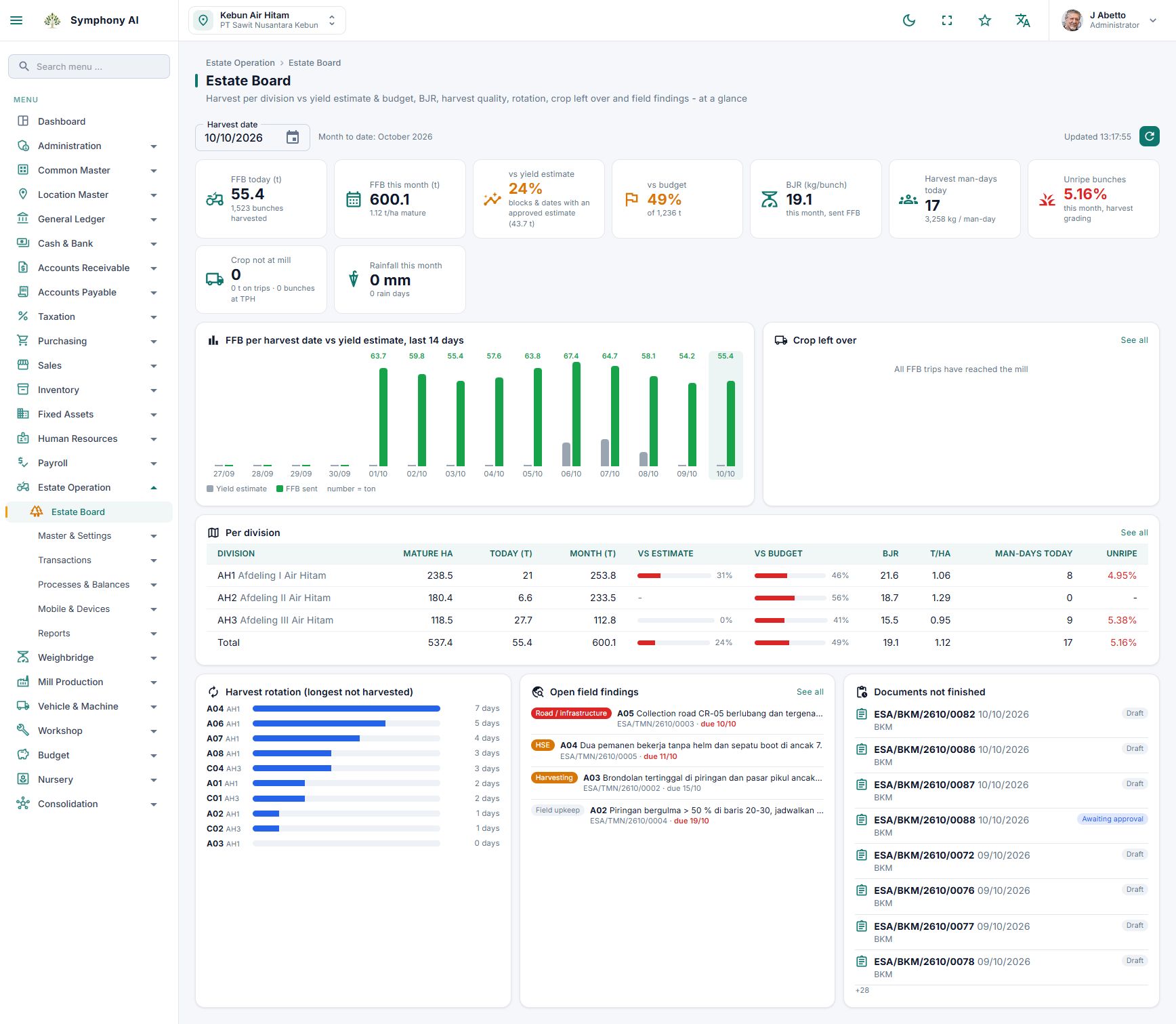
Begin with the work date, estate, division, block, activity and responsible team. In Indonesia, the BKM is the foreman’s work record. Depending on the activity, it records labour, work output and material usage. Agree on units and activity codes before comparing records across locations. A hectare completed and a tonne harvested describe different kinds of output.
Keep harvest and dispatch connected
Harvest observations and collection-point records describe what happened in the field. A dispatch note, such as an SPB, describes the load being sent. Preserve the relevant references, vehicle and destination so the receiving team can reconcile the shipment. QR references can assist identification where the configured workflow supports them, but they do not replace physical checks.
Reconcile weighing without hiding differences
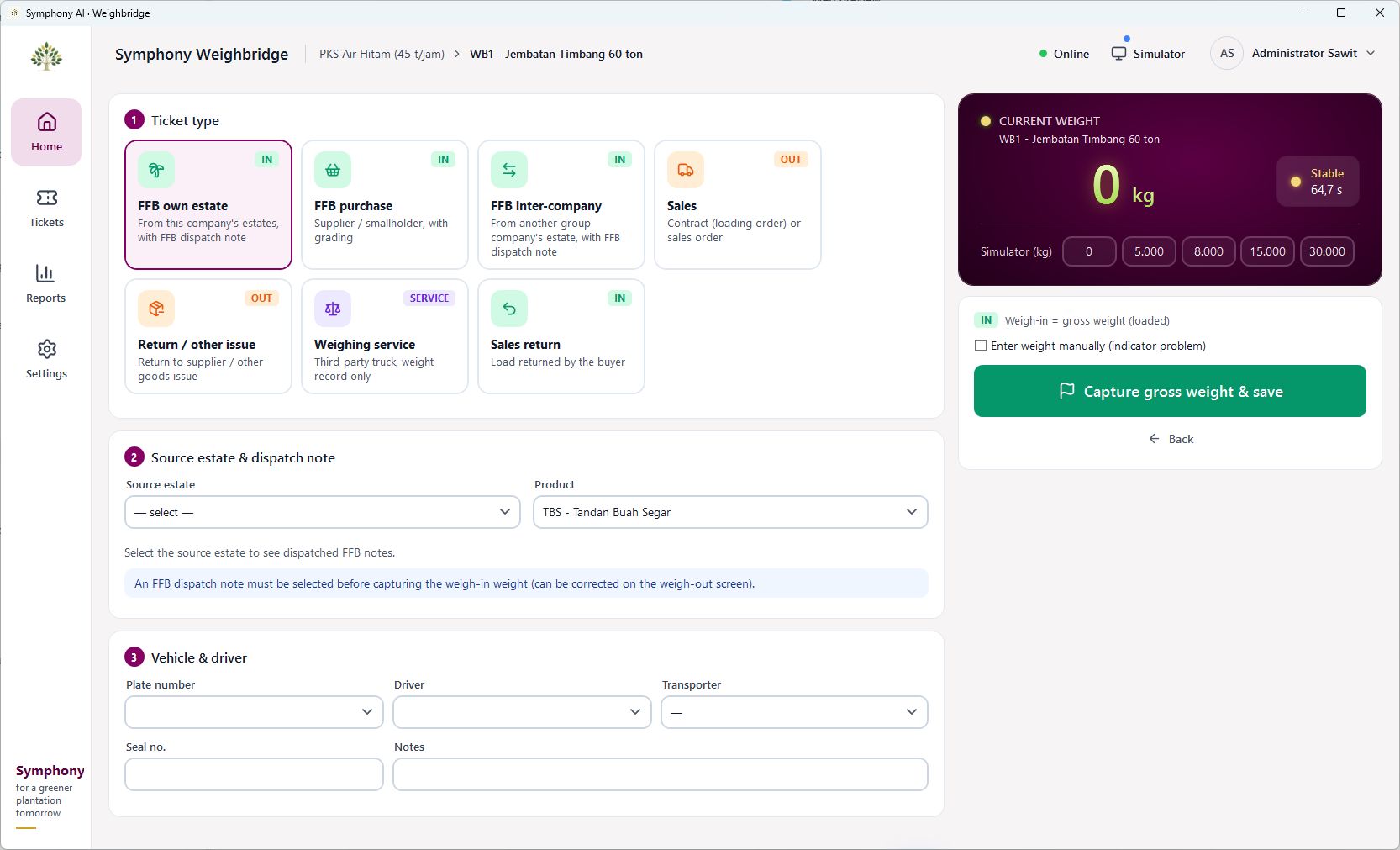
At the weighbridge, compare the load identity, gross weight, tare and net weight with the dispatch record. A difference is a reason to investigate timing, measurement, load composition or a data-entry error. Keep the explanation and supporting evidence with the responsible team. Avoid changing the original field figure simply to make two reports agree.
Define the financial handover
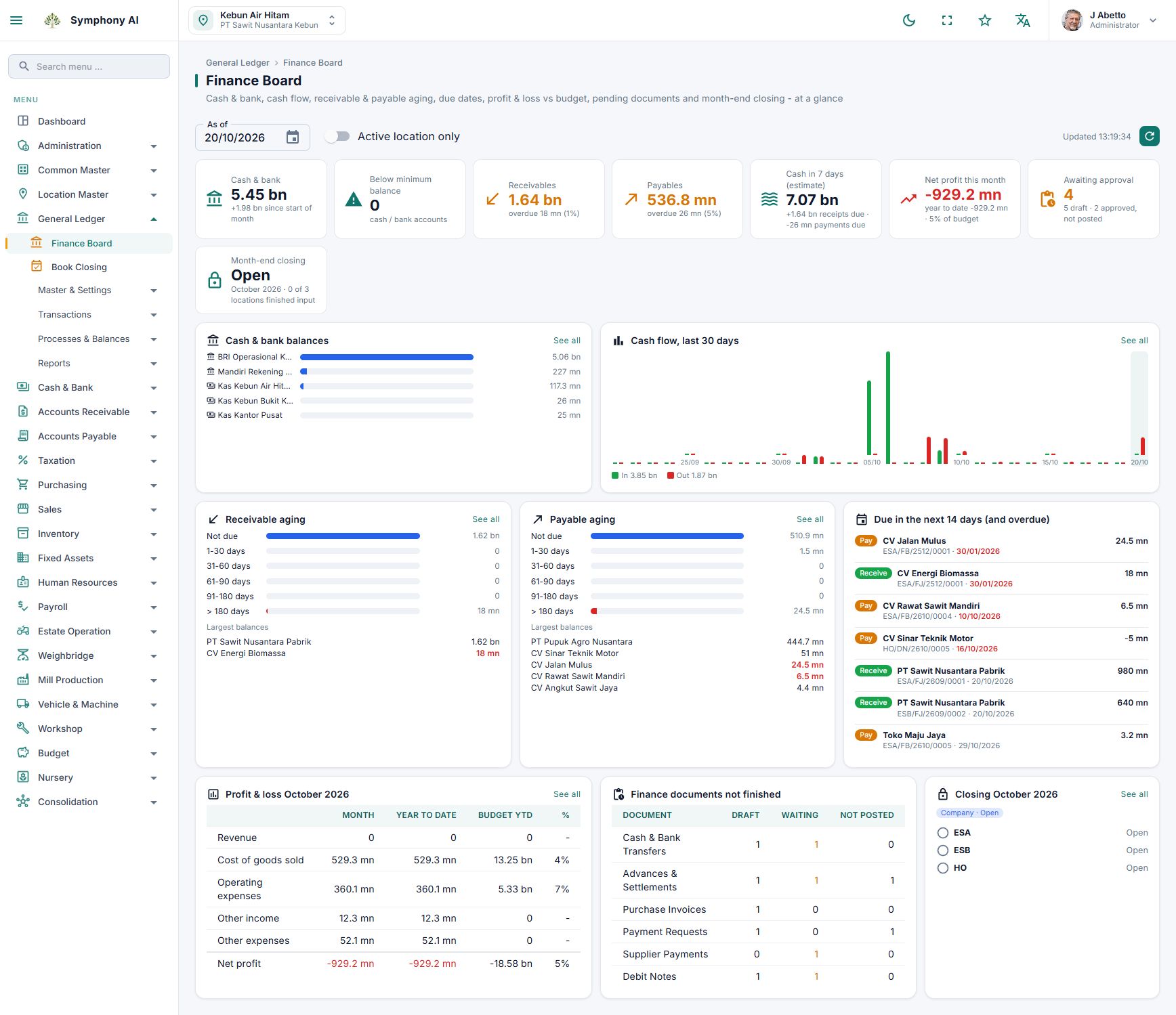
Approved operational records can support costing and financial processing according to the configured workflow. Agree which document triggers the next step, which accounts and cost centres apply, and who checks exceptions. Procurement, inventory usage, payroll and harvest logistics may follow different posting rules. Ask for a demonstration using your own scenario.
Review a short exception list
Management should be able to distinguish work awaiting review, dispatched loads awaiting receipt and transactions awaiting financial processing. In Symphony, plantation, weighbridge and ERP modules provide the components for this connected process. Establish the document references and approval responsibilities during implementation so each exception has an owner.
Take this to your next review
- Use consistent dates, location codes and units.
- Retain the reference between field, dispatch and weighing records.
- Assign an owner to differences and incomplete documents.
- Agree approval and posting rules before go-live.
A common question
Does integration mean every record is posted immediately?
No. Review, approval and accounting rules should determine when a record proceeds. The required sequence needs to be confirmed for each configured workflow.
Review the product screens and discuss how the workflow fits your organisation. Availability and integrations follow the agreed implementation scope.
View product details →