Offline weighbridge: keeping operations moving
A temporary internet outage should not automatically stop every weighing transaction. An offline-capable desktop application can retain supported transactions locally for later synchronisation. The operational question is what remains available during the outage, how the operator recognises pending records and how the office reconciles them afterwards.
Separate internet failure from equipment failure
Offline operation concerns connectivity. It does not eliminate the need for power, a working scale indicator, a reliable PC and a suitable local backup procedure. Verify the actual scale model, communication interface, printer and operating environment with the supplier. Do not assume that support for one installation covers every weighbridge device.
Specify what the operator can finish locally
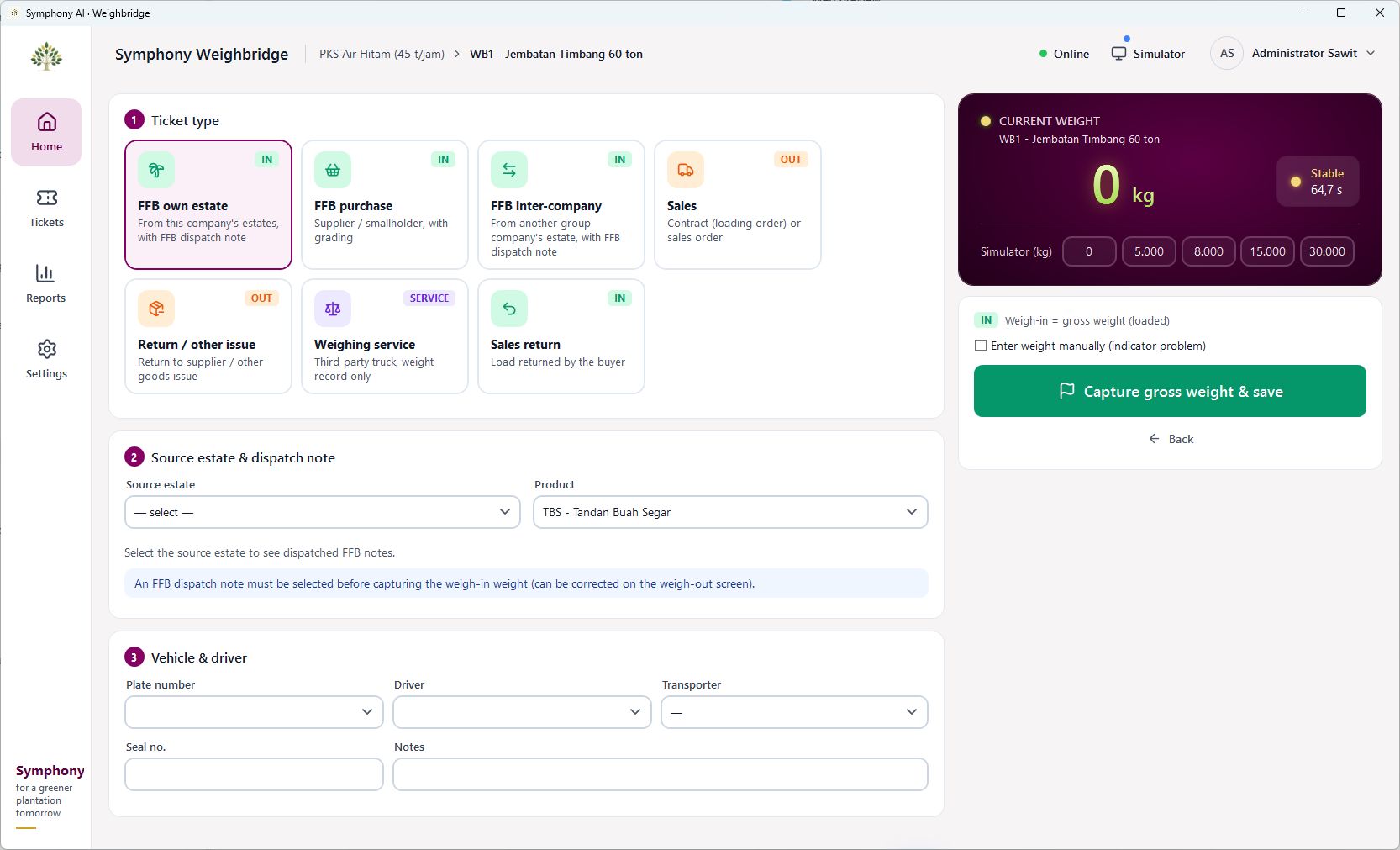
Walk through vehicle identification, commodity selection, first and second weighing, ticket generation and later corrections. Establish which master data must already be available on the PC. If a new supplier or vehicle is needed during an outage, agree the permitted procedure in advance. The operator should know what can be completed and what must wait for a supervisor.
Make synchronisation visible
After connectivity returns, the team needs to identify which records are pending, received or require attention. Agree how local ticket references map to ERP documents and how repeated submissions or interrupted transfers are handled. These are acceptance-test questions: verify the behaviour in a demonstration rather than relying on the word “offline” alone.
Reconcile the day before closing it
Compare ticket counts, net weights and the status of exceptions between the local application and the receiving system. Keep a procedure for missing tickets, voided transactions and corrections. Assign responsibility for resolving the differences before the day is considered complete. A successful connection is not the same as a completed reconciliation.
Test the actual outage scenario
Symphony’s desktop weighbridge application supports offline operation and subsequent ERP synchronisation. For your deployment, test disconnection, continued supported recording, reconnection and reconciliation with the agreed equipment. Include operator training and recovery responsibilities in the rollout so the process remains understandable under pressure.
Take this to your next review
- Confirm scale, printer and PC compatibility.
- List the transactions available offline.
- Test interrupted synchronisation and duplicate-submission handling.
- Reconcile ticket totals, weights and outstanding exceptions.
A common question
Is offline operation the same as having a backup?
No. Local operation and backup serve different purposes. Agree separate procedures for protecting local records and recovering from PC or storage failure.
Review the product screens and discuss how the workflow fits your organisation. Availability and integrations follow the agreed implementation scope.
View product details →