Plantation Payroll Software: 7 Features Estates Need
Estate payroll is not a standard office payroll: it mixes daily and monthly workers, piece rates, premiums and penalties across many blocks. This guide explains what plantation payroll software needs and the seven features to look for.
Key takeaways
- Estate payroll mixes monthly and daily pay, premiums, piece rates, penalties and loans.
- Attendance should come from the field and time machines, not be re-typed.
- Labour cost must post to the right estate, block and activity, not one lump sum.
- BPJS and PPh 21 should follow the company's own configuration.
Why estate payroll is different
A plantation workforce does not fit a standard office payroll. Pay depends on attendance, output and the work done in the field.
- Mixed workers: monthly staff and daily or piece-rate workers in the same run.
- Premiums and penalties: harvest premiums, supervisor premiums and quality penalties.
- From the field: attendance and output come from the field app and time machines.
- Cost to blocks: labour cost is charged to estates, blocks and activities, not one total.
7 features of good plantation payroll software
Use these to compare systems.
- Estate pay components: monthly and daily pay, premiums, piece rates, penalties and loans.
- Integrated attendance: from face attendance, the field app and time machines.
- Premium and piece-rate rules: configurable harvest and supervisor premiums.
- BPJS and PPh 21: processed to the company's own configuration.
- Payslips: clear payslips for every worker.
- Labour cost distribution: cost posted to estates, blocks and activities.
- Linked to finance and field: payroll feeds the ledger and ties back to BKM.
Benefits for HR and finance
When payroll follows the field, HR stops re-typing and finance gets real labour costs.
- Accurate pay: based on real attendance and output.
- Less manual work: attendance captured once, not re-keyed.
- True labour cost: charged to the right block and activity.
- Compliance: BPJS and PPh 21 handled consistently.
- Transparency: payslips and records for every worker.
How to move estate payroll to software
Keep it practical.
- Set pay components: monthly, daily, premiums, piece rates, penalties, loans.
- Connect attendance: link the field app and time machines.
- Configure BPJS and PPh 21: to your company's rules.
- Run a parallel payroll: compare with the current process once.
- Post to cost centres: distribute labour cost to blocks and activities.
HR & payroll in Symphony: all these features, and more
Symphony includes plantation HR and payroll inside a full plantation ERP.
- Employee administration: employee data, leave, roster and overtime.
- Integrated attendance: time machines, face attendance and the field app.
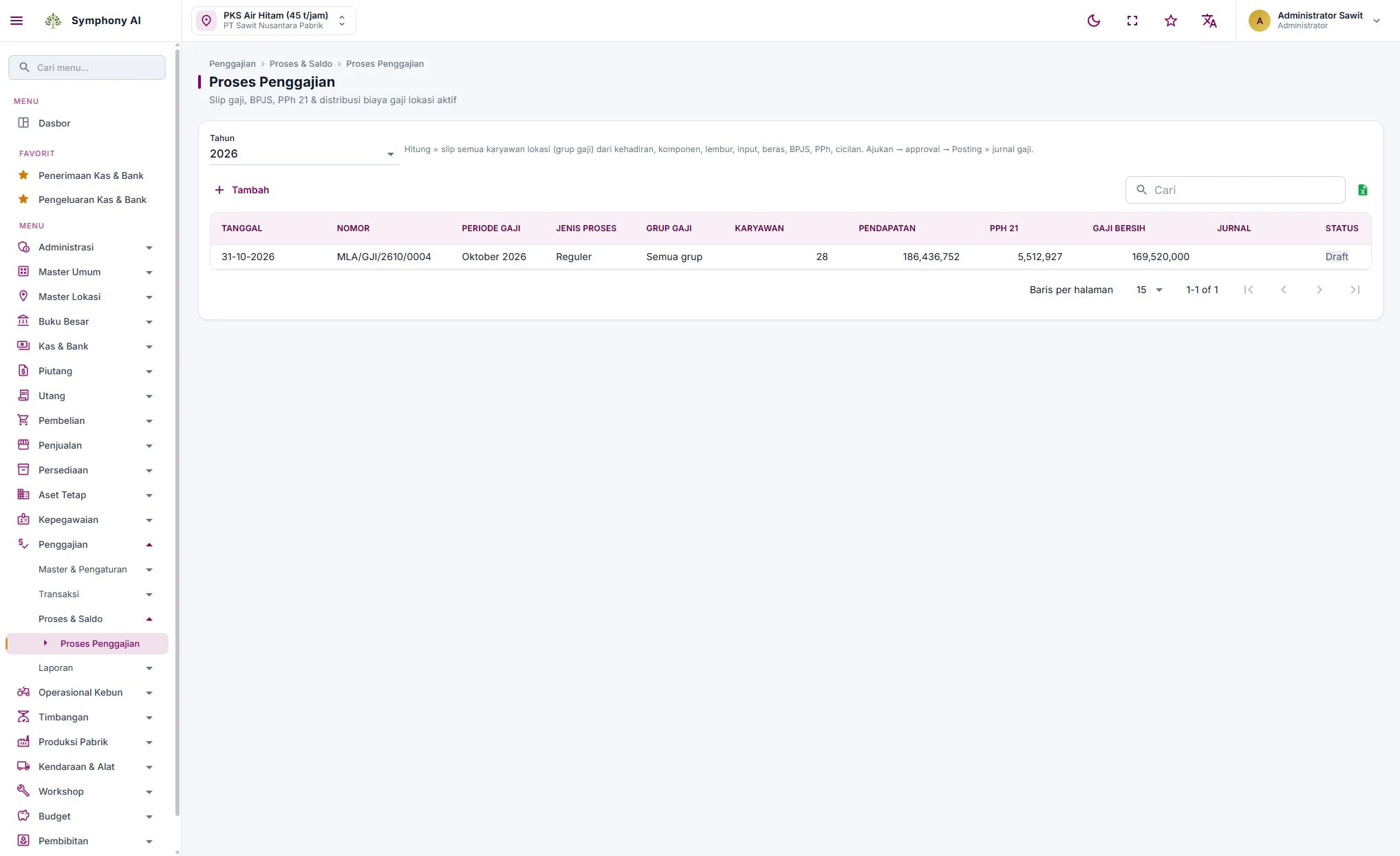
- Estate pay: monthly and daily pay, premiums, penalties, loans and payslips.
- BPJS and PPh 21: processed to the company's configuration.
- Cost distribution: labour cost posted to estates, blocks and activities.
- Beyond the basics: linked to BKM, finance and reporting, with headcount and turnover reports.
Take this to your HR review
- List your pay components (monthly, daily, premiums, penalties).
- Check whether attendance comes from the field.
- Confirm BPJS and PPh 21 handling.
- See if labour cost posts to blocks and activities.
Common questions
Does it handle daily workers and piece rates?
Yes. Symphony supports monthly and daily pay, premiums and piece rates in one payroll run.
Does attendance come from the field?
Yes. Attendance comes from time machines, face attendance and the FieldMate app.
Does it handle BPJS and PPh 21?
Yes, processed to the company's own configuration.
See the HR & payroll module and discuss how it fits your estates.
View HR & payroll →